

Carousel for Rapid Mold Change
Open-source, weldable “carousel” add-on for Precious Plastic extruders that holds four beam molds and enables rapid mold change by rotation, so one mold can extrude while the others cool—reducing downtime and supporting a more continuous, safer beam/board production workflow (HDPE/PP). Includes CAD/technical drawings (e.g., STEP/DXF), material specs, and practical mounting/alignment guidance so it can be adapted to different extruder setups.

%20--%3e%3csvg%20version='1.1'%20id='Layer_1'%20xmlns='http://www.w3.org/2000/svg'%20xmlns:xlink='http://www.w3.org/1999/xlink'%20x='0px'%20y='0px'%20viewBox='0%200%2044.6%2043.9'%20style='enable-background:new%200%200%2044.6%2043.9;'%20xml:space='preserve'%3e%3cstyle%20type='text/css'%3e%20.st0{fill:%231D1D1B;}%20%3c/style%3e%3ctitle%3eicon%20time%20needed%3c/title%3e%3cg%20id='Calque_1'%3e%3cpath%20class='st0'%20d='M20.5,0.5c-5.8,1.1-11,4.2-14.7,8.7c-3.4,4.3-6.3,11.5-5.7,17.1C1.5,40.9,15,45,27.8,43.6%20c10.3-1.2,17.5-15.5,16.8-25C43.7,7.2,31.9-2.2,20.5,0.5c-1.6,0.4-0.9,2.8,0.7,2.4c11.1-2.6,21.6,7.7,21,18.6%20c-0.3,4.3-1.9,8.4-4.4,11.8c-3.5,4.9-7.2,7.8-13.5,8c-10.6,0.4-22.3-4.4-21.8-17C3.2,13.8,10.8,5,21.1,2.9%20C22.7,2.6,22,0.2,20.5,0.5z'/%3e%3cpath%20class='st0'%20d='M19.9,6.7c0.1,5.2,0.4,10.5,0.9,15.7c0.1,1.6,2.6,1.6,2.5,0c-0.5-5.2-0.8-10.4-0.9-15.7c0-0.7-0.6-1.2-1.2-1.2%20S19.9,6,19.9,6.7z'/%3e%3cpath%20class='st0'%20d='M21.2,23.3c2.1,1.8,4.3,3.4,6.6,4.9c1.4,0.8,2.7-1.4,1.3-2.1c-2.1-1.3-4.2-2.8-6.1-4.5%20C21.7,20.6,20,22.3,21.2,23.3L21.2,23.3z'/%3e%3c/g%3e%3c/svg%3e) < 1 day
< 1 day Medium
extrusionPPHDPEmould
%20--%3e%3csvg%20version='1.1'%20id='Calque_1'%20xmlns='http://www.w3.org/2000/svg'%20xmlns:xlink='http://www.w3.org/1999/xlink'%20x='0px'%20y='0px'%20viewBox='0%200%2027.2%2027.8'%20style='enable-background:new%200%200%2027.2%2027.8;'%20xml:space='preserve'%3e%3ctitle%3eicon%20redirect%20new%3c/title%3e%3cg%3e%3cpath%20d='M27.2,26.5c-0.1-5-0.3-10-0.4-15c0-0.7-0.6-1.2-1.2-1.2s-1.2,0.6-1.2,1.2c0.1,4.6,0.3,9.1,0.4,13.7%20c-3.9-0.2-7.7-0.6-11.6-0.4c-3.3,0.2-6.7,0.5-10,0.4C2.8,19.5,2.7,13.7,2.5,8c2.9-0.1,5.8-0.8,8.6-0.7c1.6,0.1,1.6-2.4,0-2.5%20C7.8,4.6,4.5,5.7,1.2,5.5c-0.6,0-1,0.3-1.1,0.7C0,6.3,0,6.4,0,6.6c0,0,0,0.1,0,0.1c0,0,0,0,0,0.1c0.2,6.6,0.4,13.2,0.5,19.7%20c0,0.6,0.4,1.3,1.2,1.4c3.8,0.1,7.5-0.2,11.3-0.4c4.4-0.3,8.6,0.2,12.9,0.4c0.6,0,1-0.3,1.1-0.7C27.1,26.9,27.2,26.7,27.2,26.5z'/%3e%3cpath%20d='M12,12.6c-0.2,0.7,0.2,1.4,0.9,1.5c0.7,0.2,1.4-0.2,1.5-0.9v0c0.6-2.2,1.4-4.5,3.1-6c1.3-1.2,3-1.9,4.7-2.7%20c-0.4,1.3-0.8,2.6-1.4,3.8c-0.6,1.5,1.8,2.1,2.4,0.7c0.8-1.9,1.5-3.9,2-5.9c0-0.1,0-0.2,0-0.3c0.3-0.6,0.1-1.5-0.7-1.8%20C22.3,0.4,20,0,17.7,0c-0.7,0-1.2,0.6-1.2,1.2s0.6,1.2,1.2,1.2c0.9,0,1.7,0.1,2.6,0.2c-1.7,0.8-3.4,1.7-4.8,3%20C13.6,7.6,12.7,10.1,12,12.6z'/%3e%3c/g%3e%3c/svg%3e)
More Information

%20--%3e%3csvg%20version='1.1'%20id='Layer_1'%20xmlns='http://www.w3.org/2000/svg'%20xmlns:xlink='http://www.w3.org/1999/xlink'%20x='0px'%20y='0px'%20viewBox='0%200%2064%2063'%20style='enable-background:new%200%200%2064%2063;'%20xml:space='preserve'%3e%3cstyle%20type='text/css'%3e%20.st0{fill:%23231F20;}%20%3c/style%3e%3cdesc%3eCreated%20with%20Sketch.%3c/desc%3e%3cg%20id='Page-1'%3e%3cg%20id='OA-Logo-Black-Background'%3e%3cpath%20id='Shape'%20class='st0'%20d='M14.1,30.1c-1.5-0.8-8.6-3.8-14.1-7.8c1.8-3.4,3.1-5.6,5-9.1c2.7,1.1,1.9,0.5,4.6,1.7%20c0.8,0.4,10.1,4.5,13.8,6.2c2.4,1.1,4.7,2.2,7,3.3L43,30.5l8.1,3.9c4,2,7.2,3.5,11.3,5.5c0.5,0.3-3.7,9.4-3.7,9.4%20c-1.7-0.6-3.9-1.8-5.5-2.5c-4.7-2.1-9-3.9-13.7-6c-4-1.8-6.7-2.9-10.8-4.5C25,34.9,17.1,31.6,14.1,30.1z'/%3e%3cpath%20id='Shape_1_'%20class='st0'%20d='M12.1,54.9c-0.8,0.6-1.6,1.2-2.5,1.6c-0.4-0.5-0.9-1-1.3-1.5c-0.3-1.2-2.3-4.9-2.7-6.2%20c-0.1-0.4-0.7-2.2-0.8-2.6c0,0,5-3.4,8.2-5.9c3.2-2.6,6.2-5,9.3-7.5c1.4-1.1,3.9-2.5,5.3-3.5c2.5-1.7,13-9.1,15.6-10.5%20c5.4-3.3,11.1-6.3,16.8-9c1.7,3.5,1.8,3,3.8,6.9c0,0-17.8,13.5-22.7,17.1c-3.8,2.8-7.5,5.7-11.3,8.5c-1.7,1.3-3.5,2.4-5.2,3.7'/%3e%3cpath%20id='Shape_2_'%20class='st0'%20d='M20.8,2.9l-0.2-0.8C25,0,31.2-0.3,31.4,0.2c0.4,1.1,0.9,2.2,1.2,3.4c1.4,4.4,2.7,8.7,4,13.1%20c0.4,1.4,2.8,10,2.9,10.5c0.5,2.8,1.2,5.6,1.6,8.4c0.8,4.7,1.4,8.6,2.3,13.3c0.6,3.1,1.3,6.3,2.3,11.3c0,0-5.8,1.4-7.5,1.8%20c-0.8,0.2-1.5,0.4-2.4,0.6c-0.3-1.1-0.2-1.2-0.5-2.1c-0.9-3.7-1.8-7.3-2.6-11c-1.5-6.4-3-12.9-4.4-19.3%20c-1.2-5.4-2.6-10.7-4.4-15.9c-1-3.1-1.8-6.3-2.7-9.5C21.1,3.8,21,3.8,20.8,2.9z'/%3e%3c/g%3e%3c/g%3e%3c/svg%3e)


1
Download package
First, download the full Carousel build package from the “Download files” section on this page. This package is meant to be your starting point before you cut or weld anything, because you’ll likely need to adapt a few dimensions to your own extruder outlet and workspace layout.
Inside the folder you’ll find:
3D CAD of the carousel system (.STEP) to review the full assembly and modify it for your machine.
Cutting files / templates (where applicable) for parts that are easiest to make by laser/waterjet/CNC (e.g., flanges/plates/clamps used across the build).
BOM / material specs + required tools (steel profiles, threaded rods/nuts, and the basic equipment used for mounting and securing the molds).
You can preview the files to understand the build, or download them directly for manufacturing.
2
Review the CAD and adapt it to your extruder
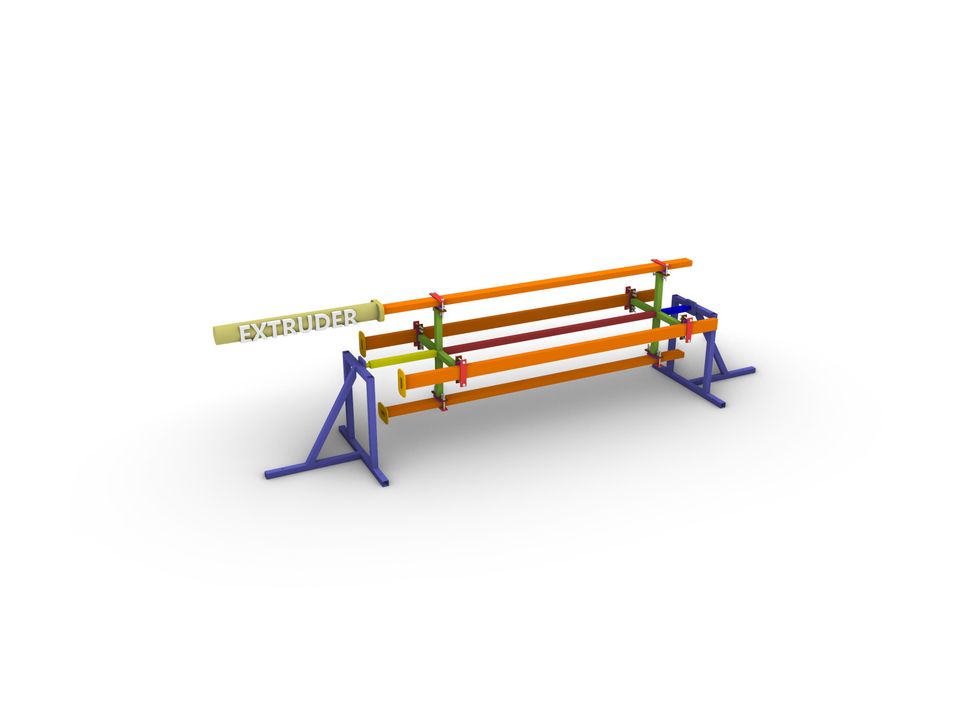
Open the 3D CAD (STEP) and do a fit-check before cutting or welding. Identify the main assemblies: a 4-mold carousel (molds from 80x40x3 mm steel profile, ~2350 mm long), front and rear shaft holders (often 40x40x2 mm), the main shaft/axle with cross supports, plus plates/brackets and M10 threaded rods that lock everything.
Verify the measurements that most often cause rework: your extruder outlet geometry (pipe diameter, outlet position, and how the outlet flange mounts) and the clamping hole pattern. Check rotation clearance with all four molds installed—nothing should hit the frame, heater bands, cables, or nearby workspace. Confirm mold length vs. target board length (plan trimming and safe handling). Note which parts you will laser/waterjet cut vs. drill, so tolerances stay consistent. Customize first: the outlet flange and the mounting points to your extruder frame.
3
Mold body
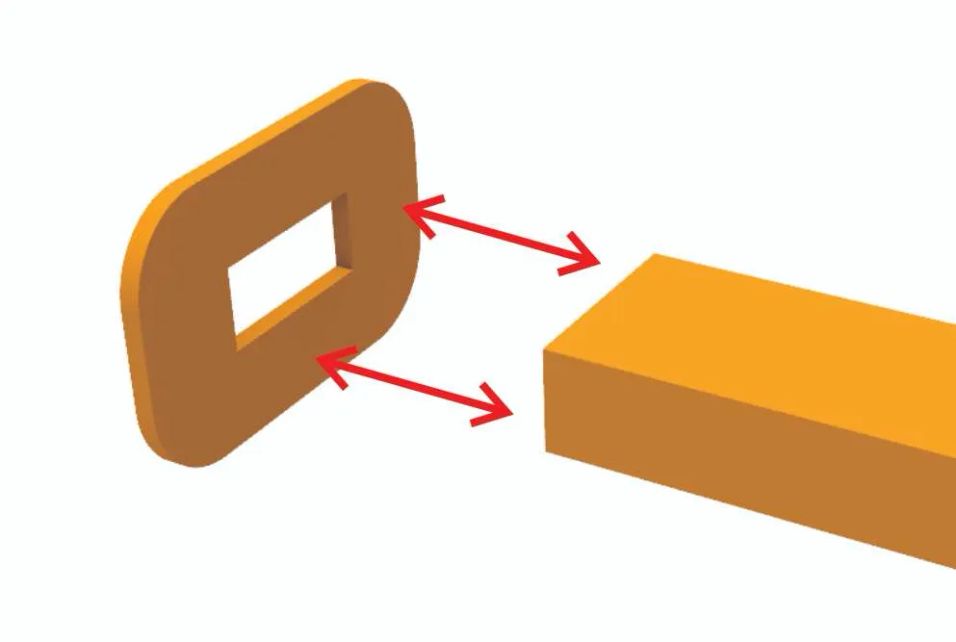
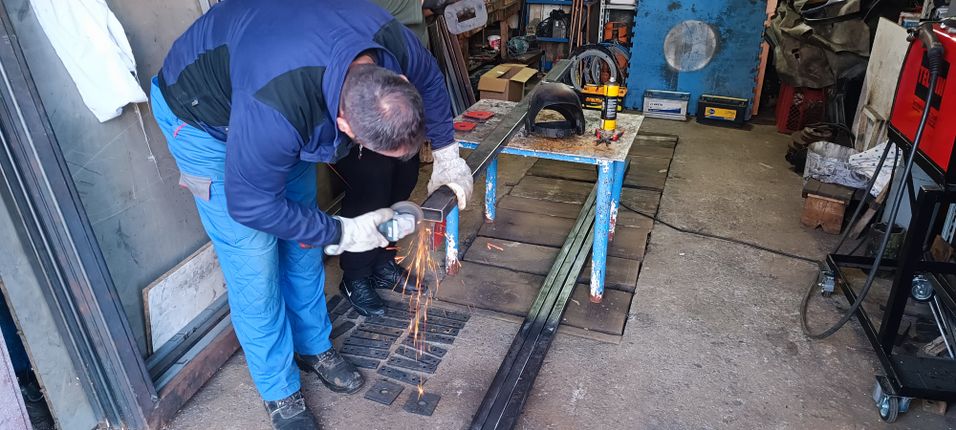
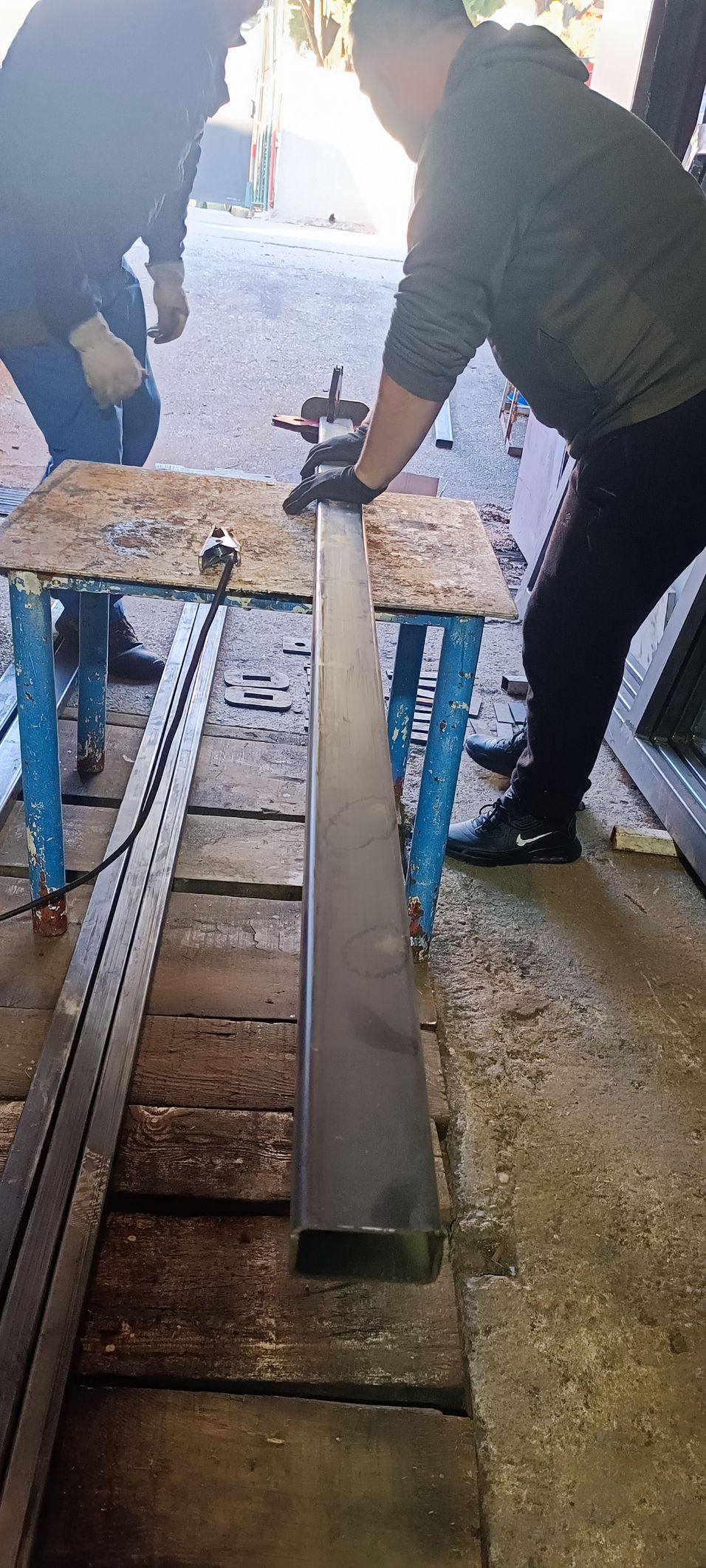
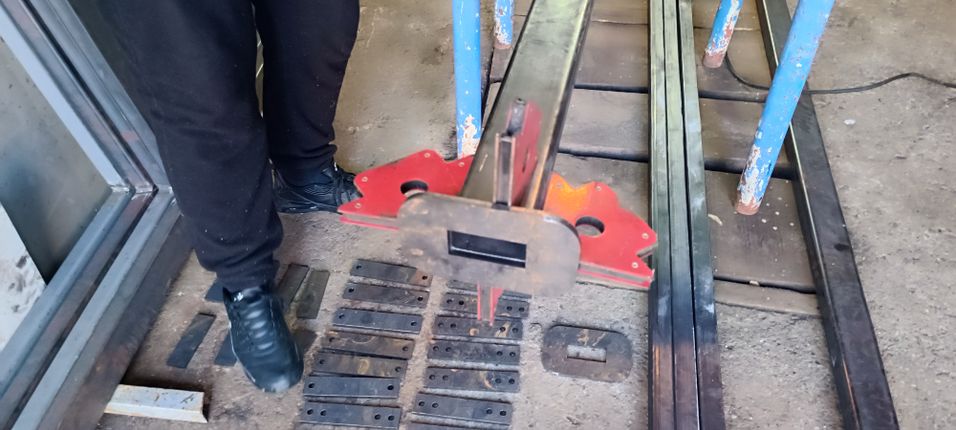
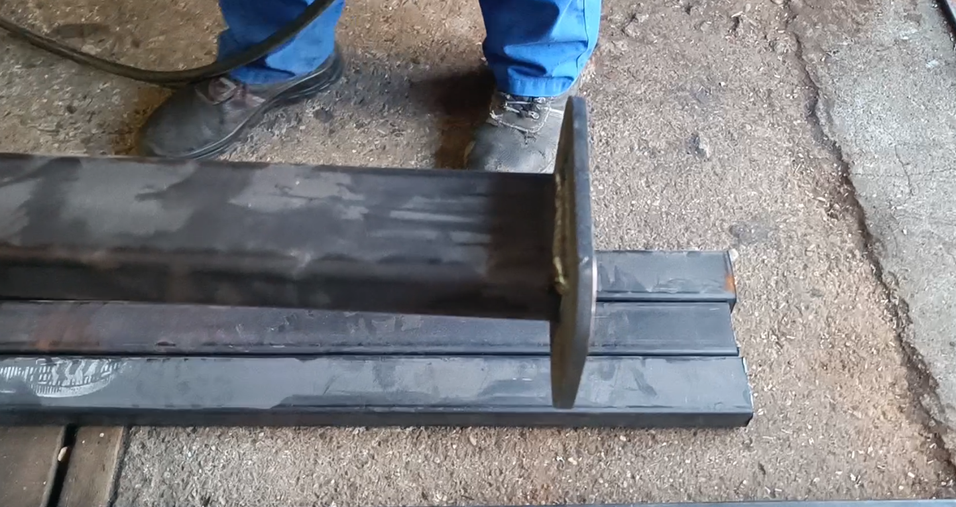
First, cut the mold bodies from 80x40x3 mm steel profiles to the required length (our reference design uses 2350 mm, but you can go shorter or longer depending on the board length you want to produce). Next, laser-cut or waterjet-cut the outlet flanges. This flange is intentionally customizable—adjust the geometry and hole pattern so it matches your extruder outlet, allowing you to clamp the flange securely using locking grip pliers. Finally, weld the flange to the mold body.
It is very important to weld the flange as close as possible to a true right angle (i.e., perpendicular/normal) to the mold. The carousel is quite adjustable, so a small deviation will usually not cause issues, but aiming for the best possible alignment will make installation and repeatable mounting significantly easier.
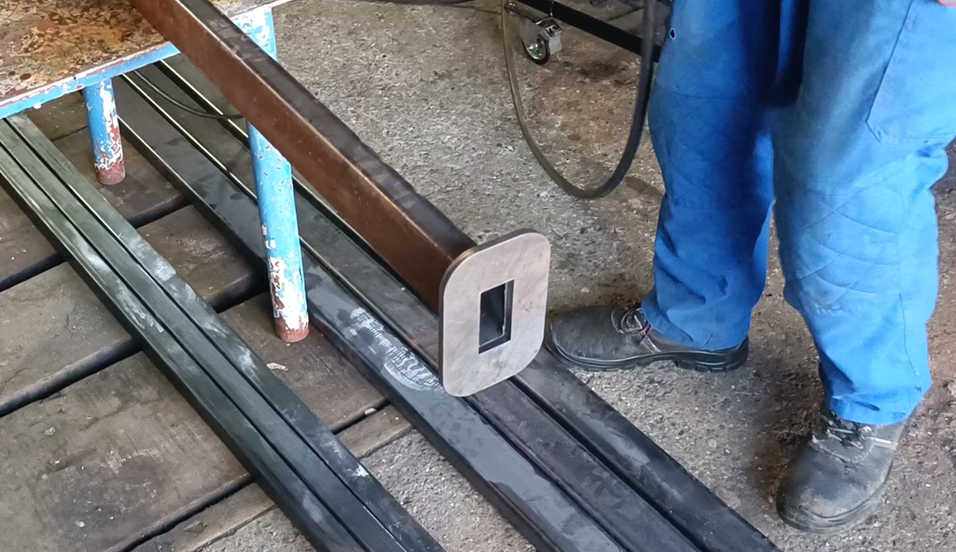
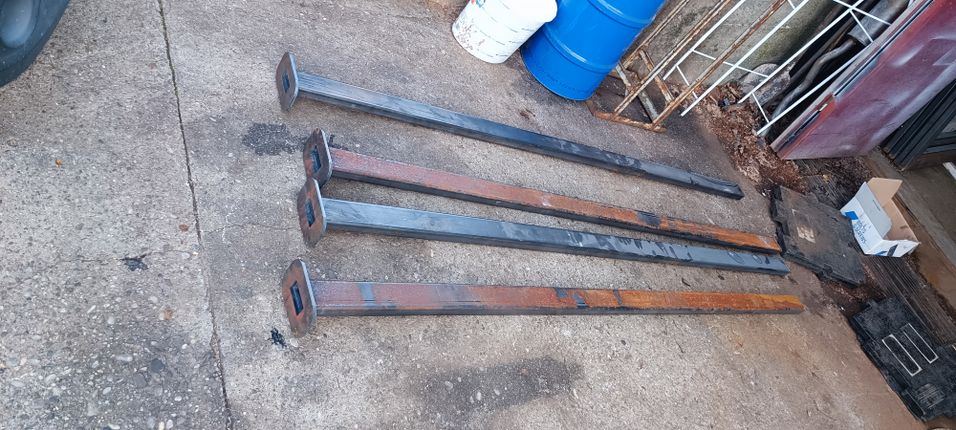
4
Fabricate the mounting braces
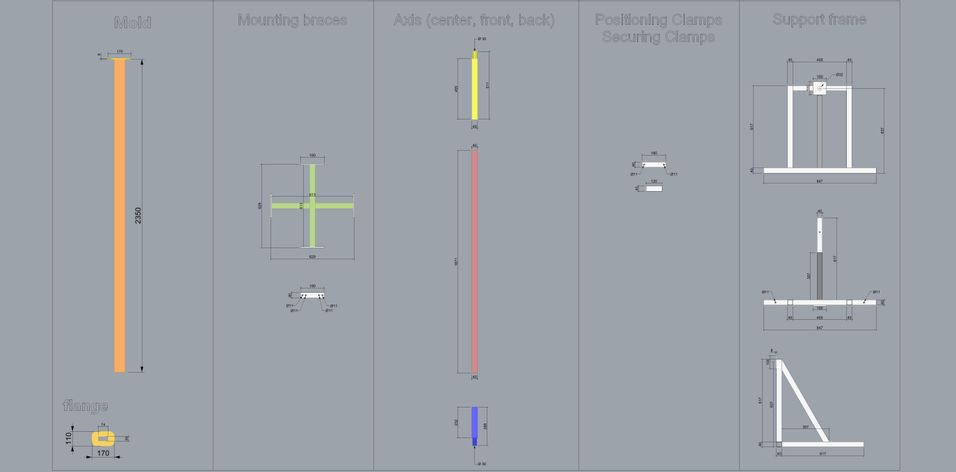
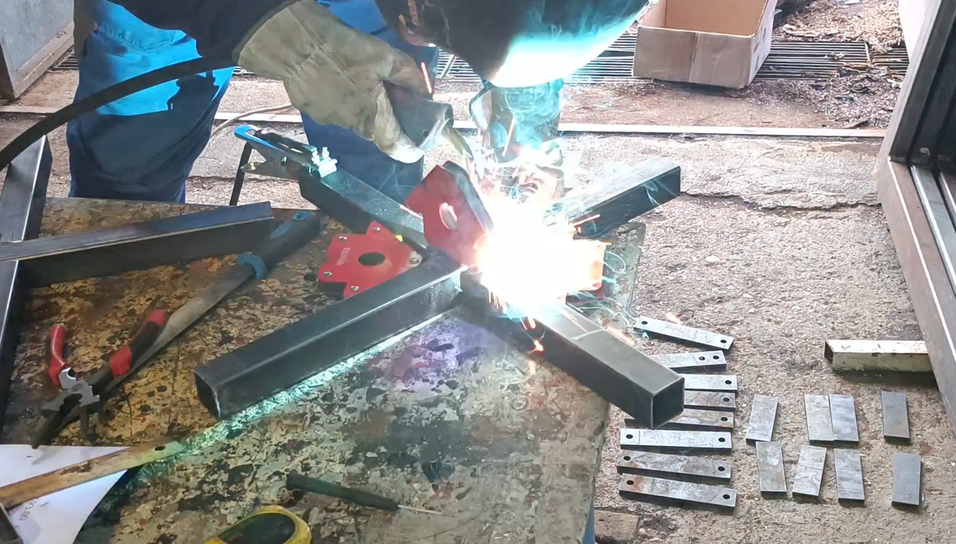
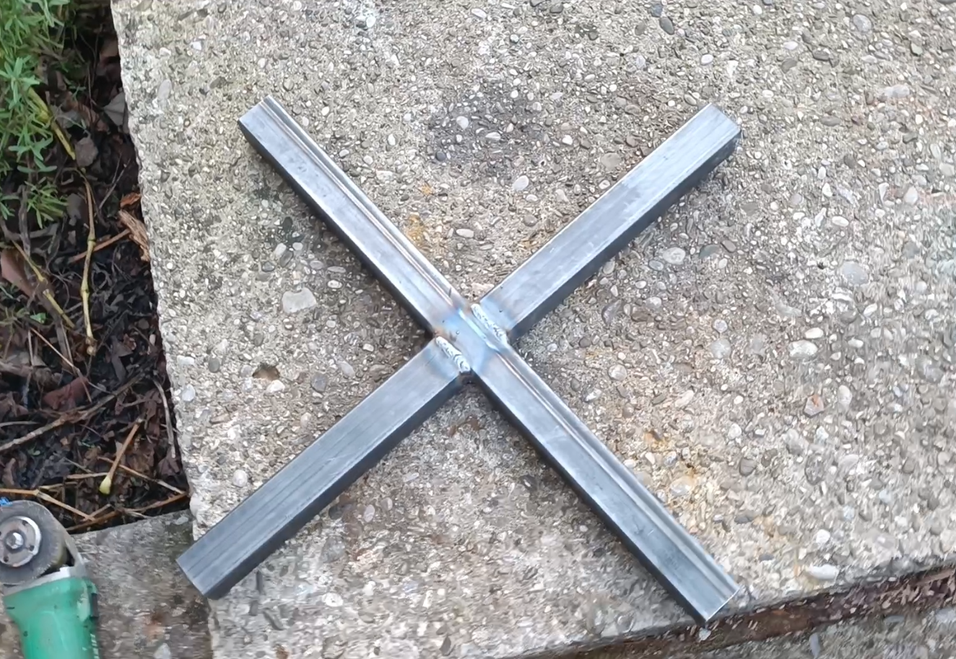
The mounting braces are made from two square steel profiles, each 40x40x613 mm with a 2 mm wall thickness. Begin by cutting the profiles at the midpoint, as shown in the technical drawing (image 8), so the parts can nest together accurately before welding. A 1 mm offset is intentionally built into the design to make it easier to slide one profile into the other during assembly.
After cutting, insert one profile into the other, align the assembly, and weld the joint. Next, weld the previously laser-cut Mold Mount Plates to the top of the brace. Throughout this process, keep everything as square as possible—aim for true right angles—because good alignment here will significantly simplify the final carousel assembly and mounting.

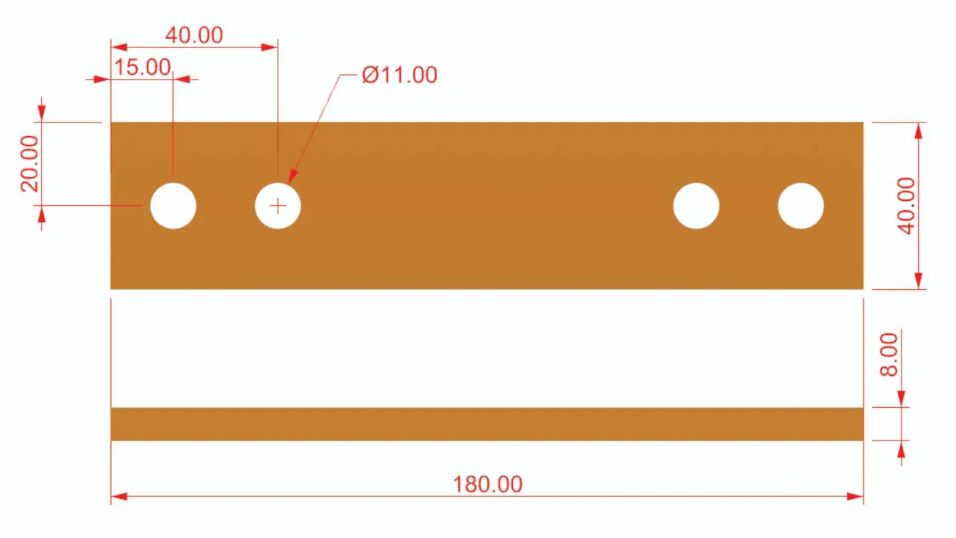
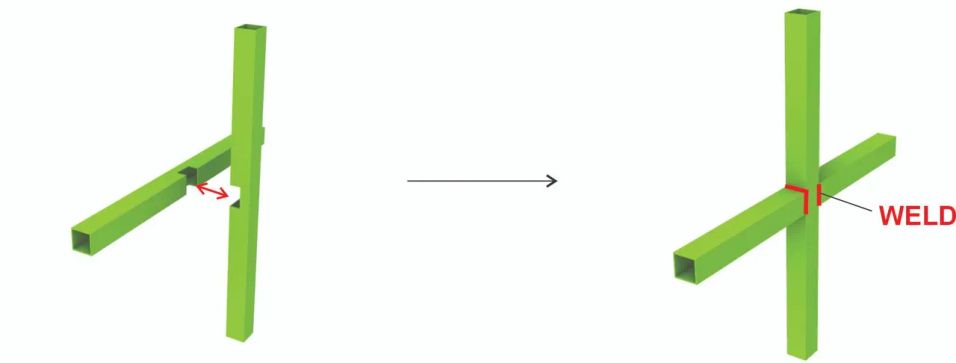
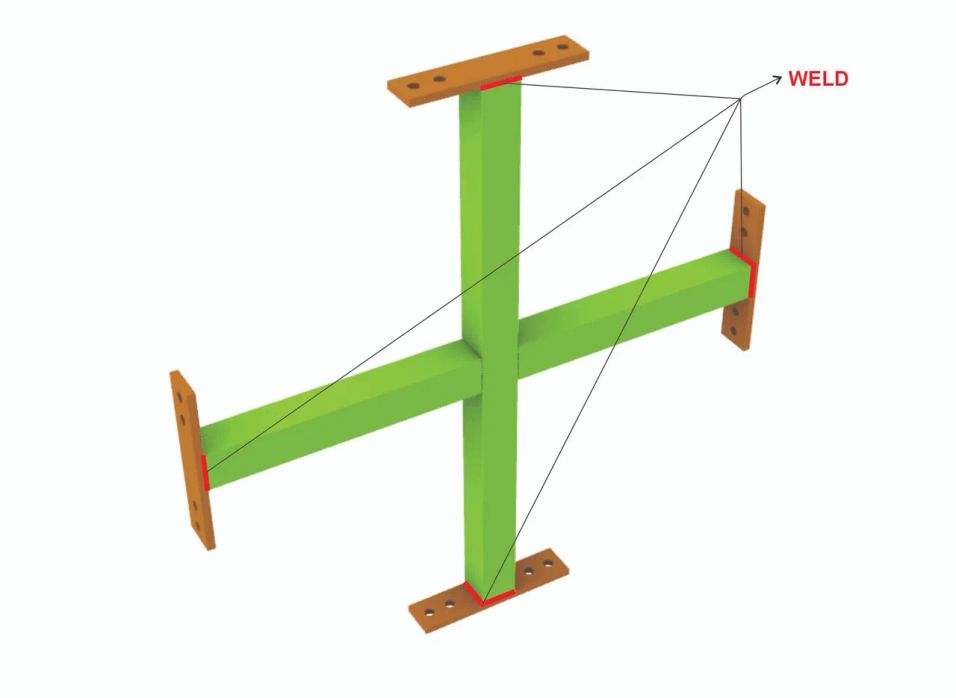
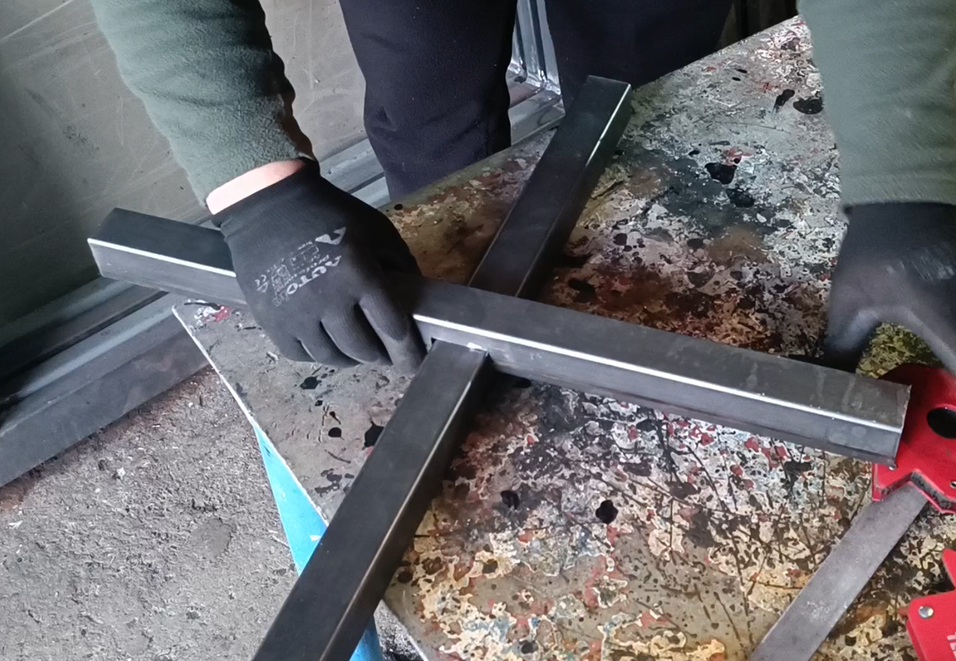
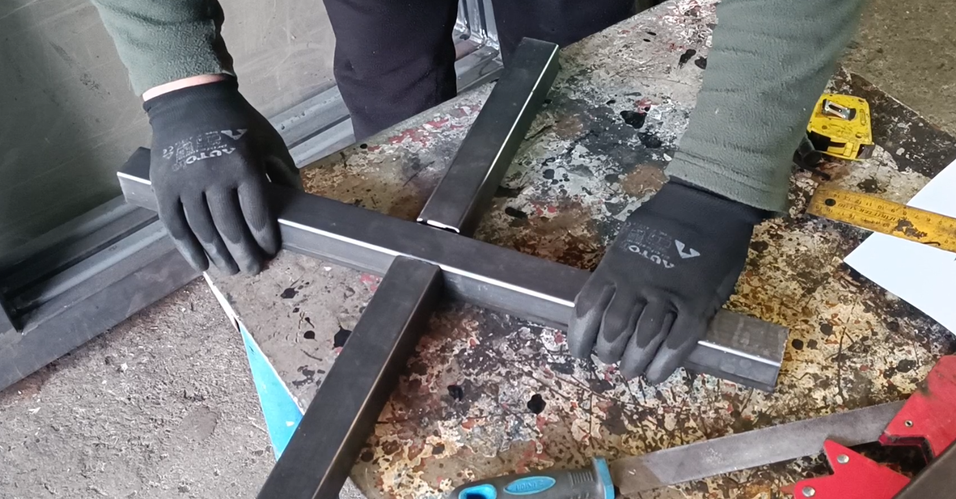
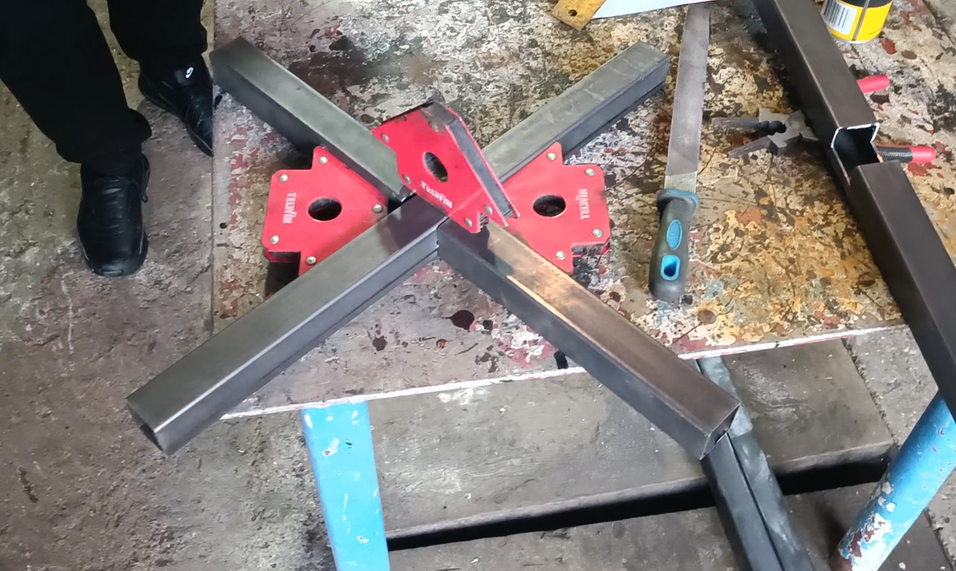
5
Welding the Mounting Braces to the Central Axis
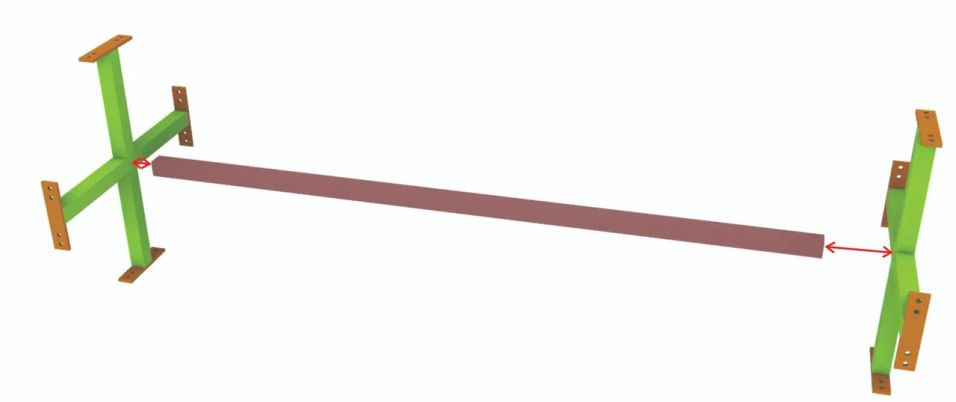
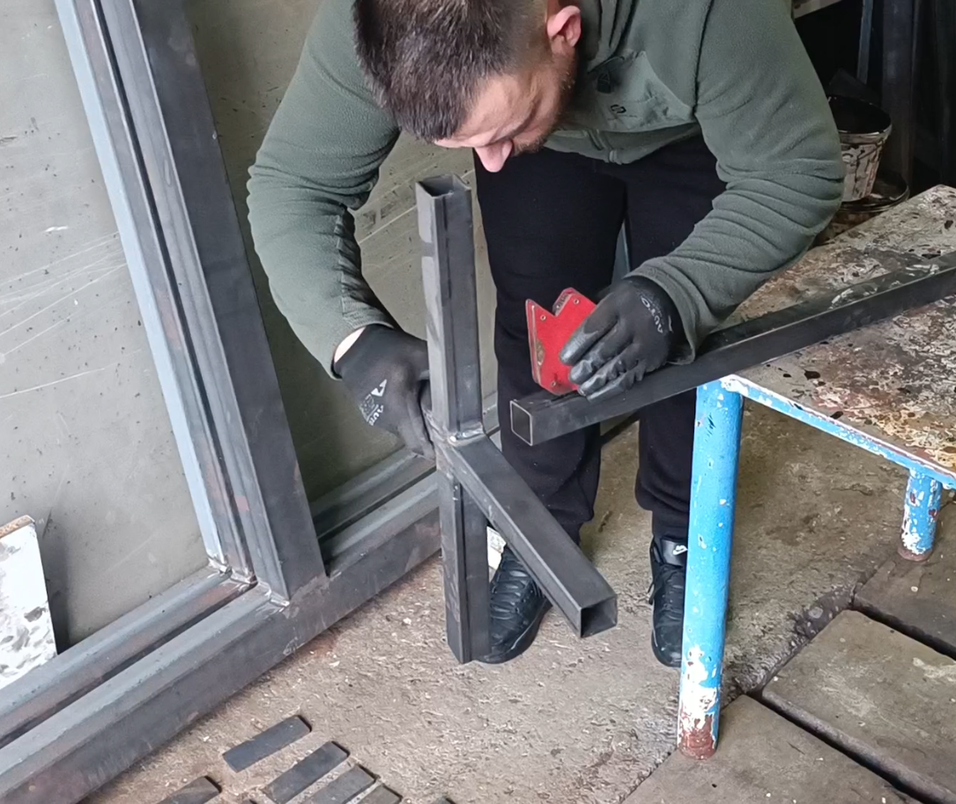
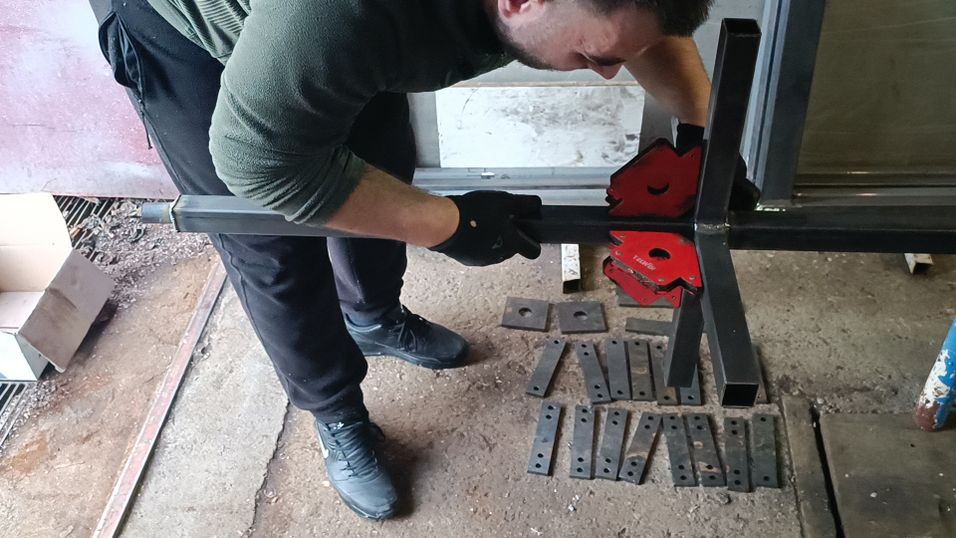
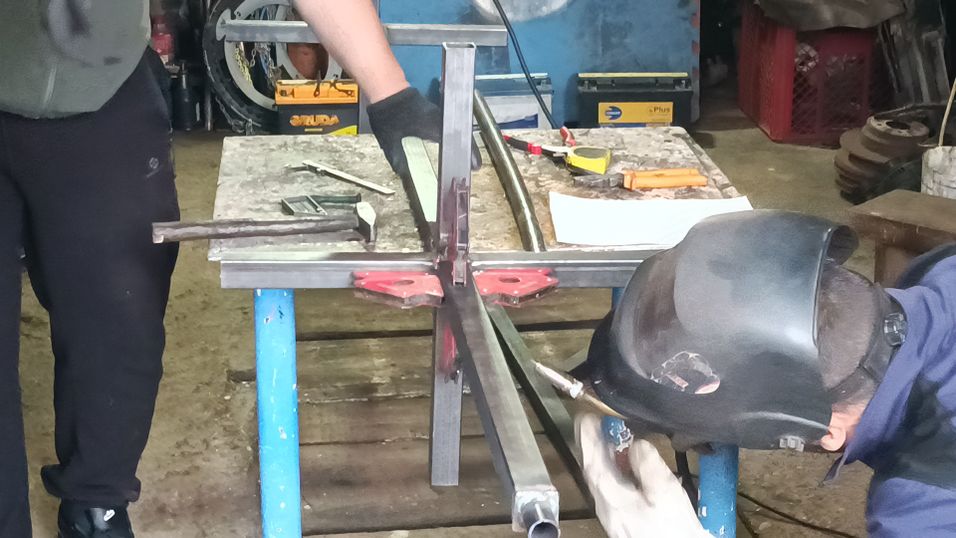
Cut the center axis to the required length from a 40×40×1670 mm steel profile with a 2 mm wall thickness, then weld it to the Mounting Braces. It is critical to position the center axis exactly on-center and weld it at the correct angle relative to the braces, as this directly affects how smoothly and accurately the carousel will rotate.
Weld all accessible contact points wherever welding is feasible to maximize strength and long-term durability. Pay close attention to alignment during tack-up and final welding—good geometry here is essential for structural integrity and reliable operation.
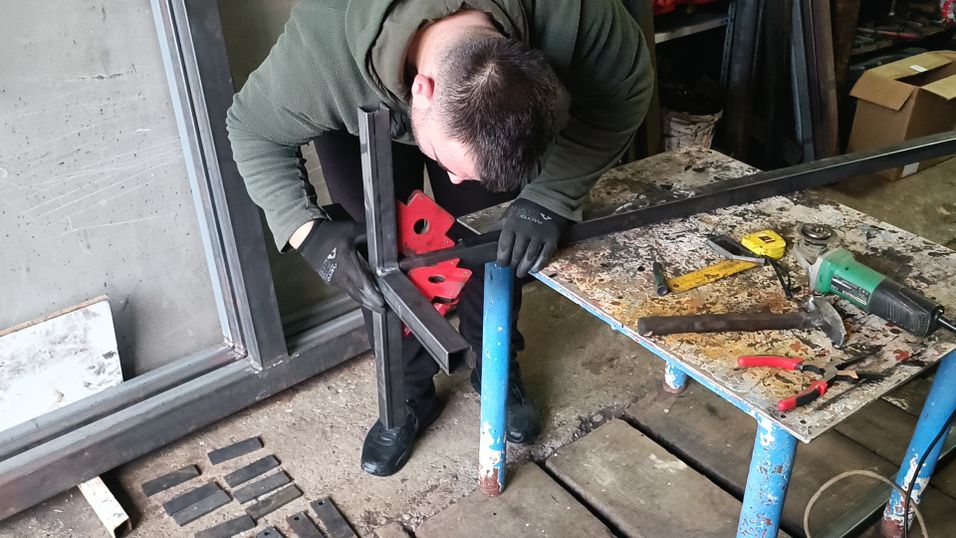
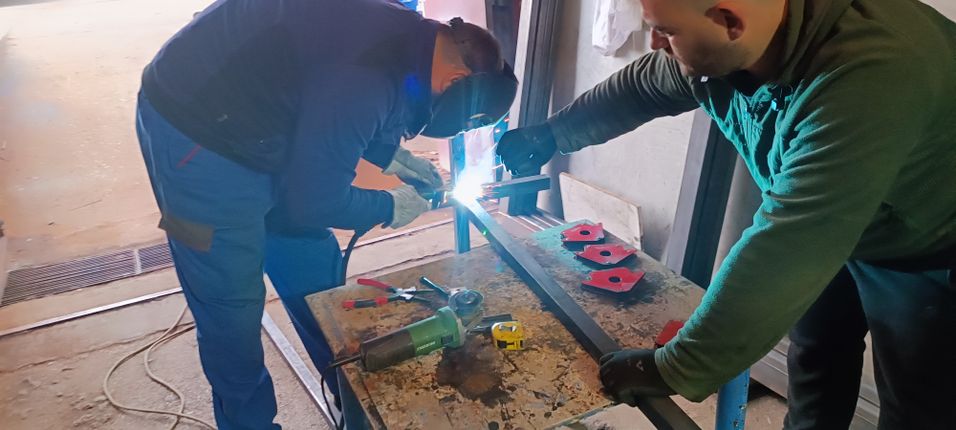
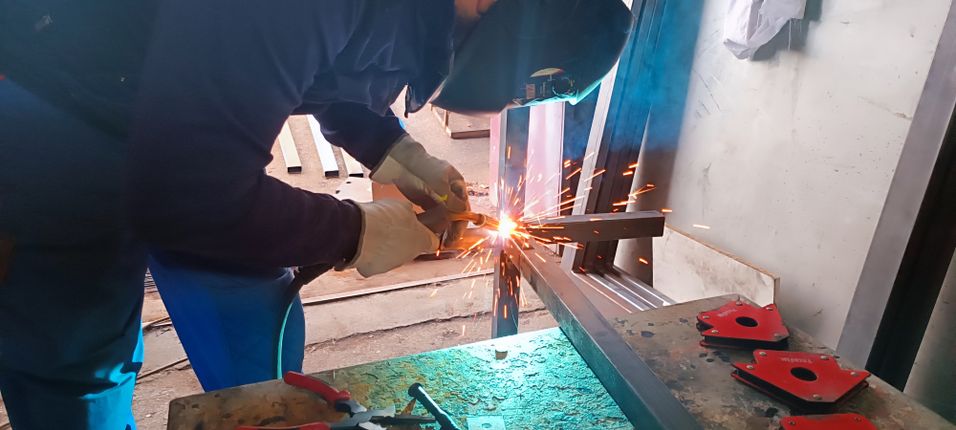
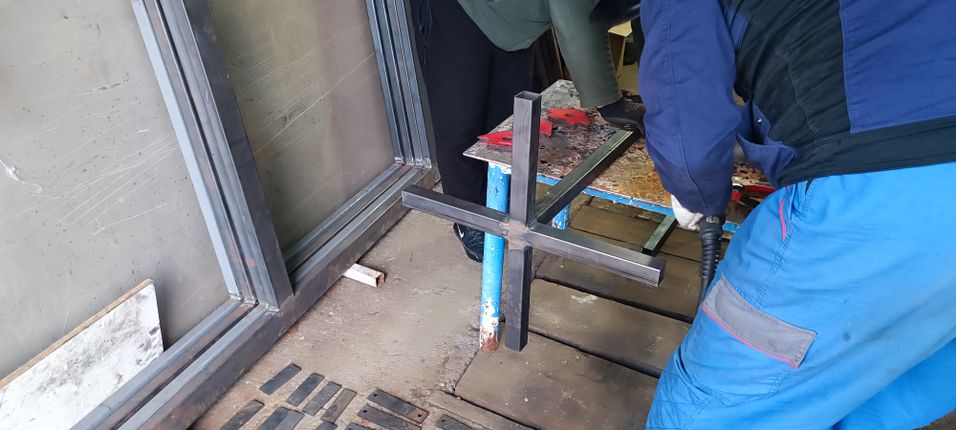
6
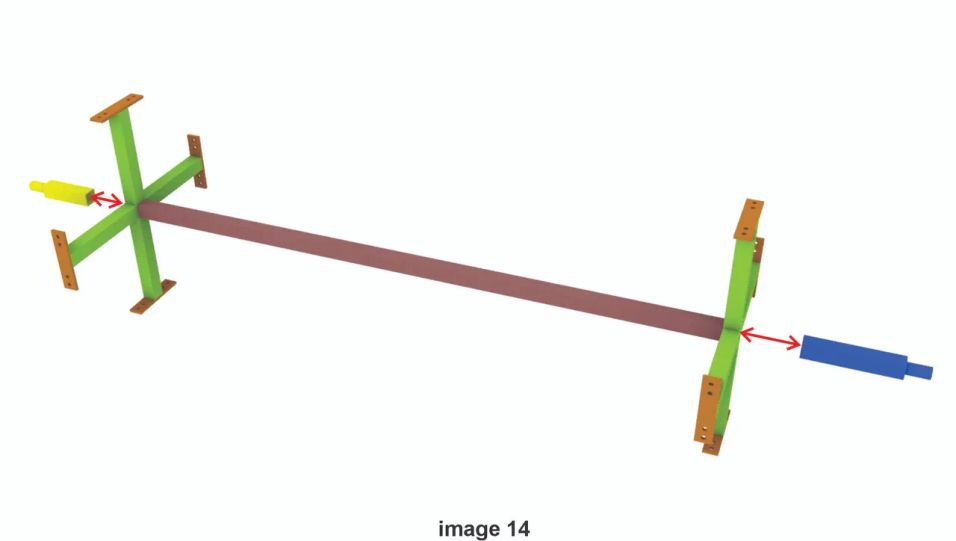
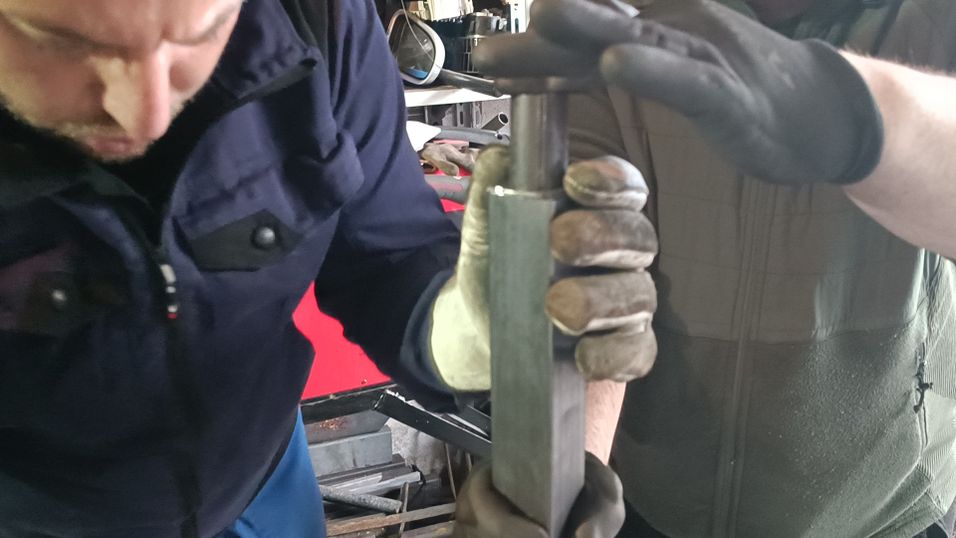
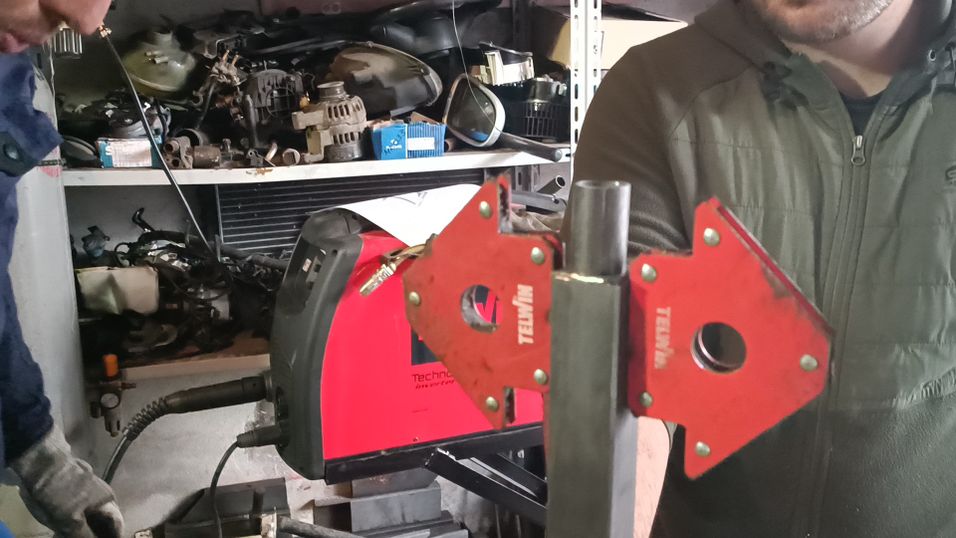
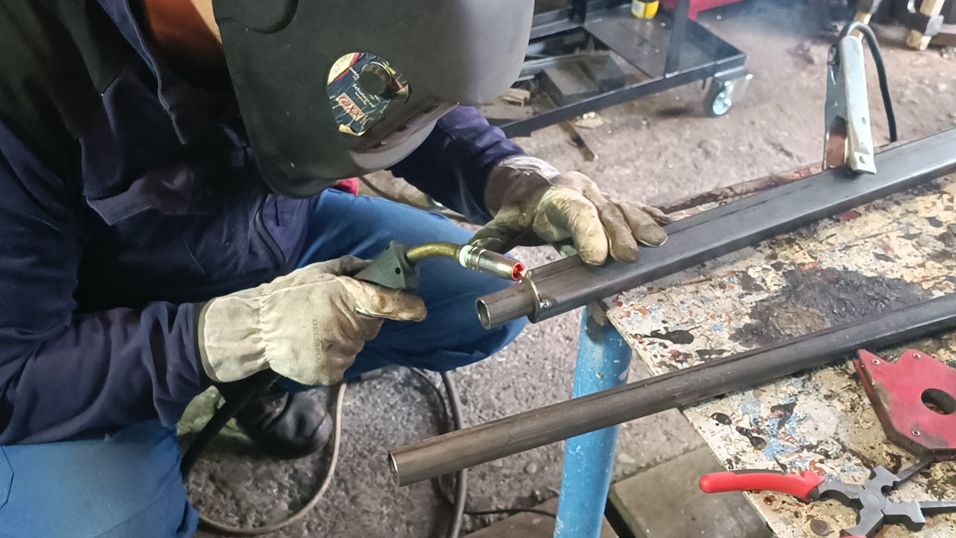
Weld the Front and Back Axis to the Mounting Brace
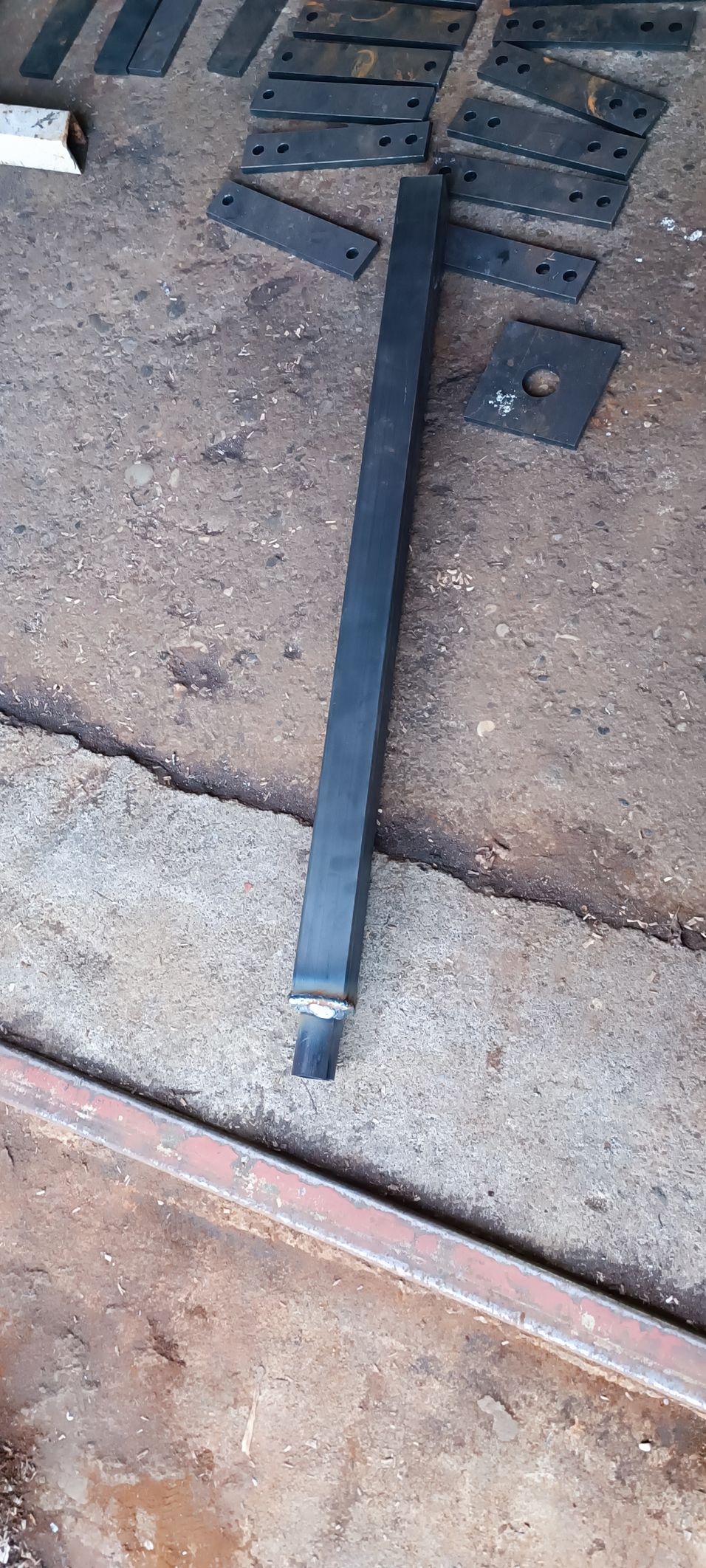
For the rotating section of the assembly, the two remaining components are the Front Axis and the Back Axis. They are manufactured in the same way; the only difference is the profile length, with the back axis being shorter than the front.
The Front Axis is made from:
40×40×450 mm steel profile with a 4 mm wall thickness
40×40×3 mm flat bar
30 mm diameter pipe (solid or with a 3 mm wall thickness), 56 mm long
Do not worry if the pipe element ends up a few millimeters longer or shorter—small length differences can be compensated during final assembly.
The Back Axis is built the same way, except the profile length is 230 mm.
7
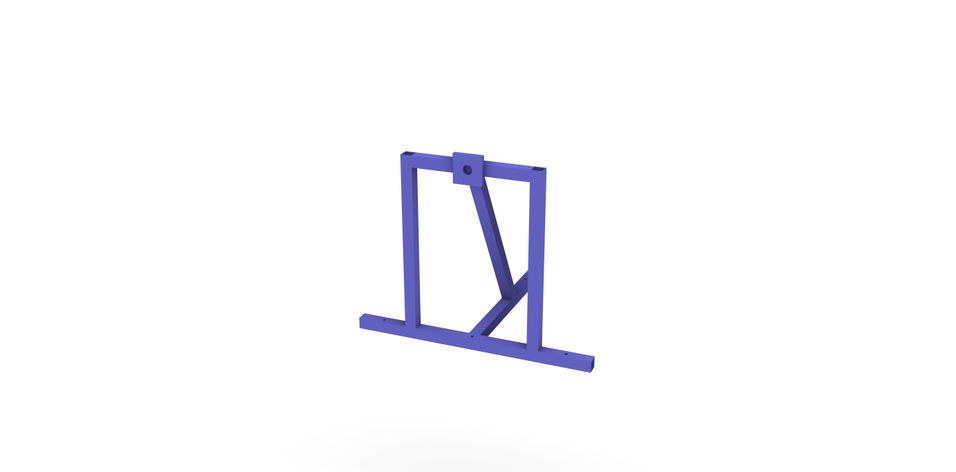
Support frame
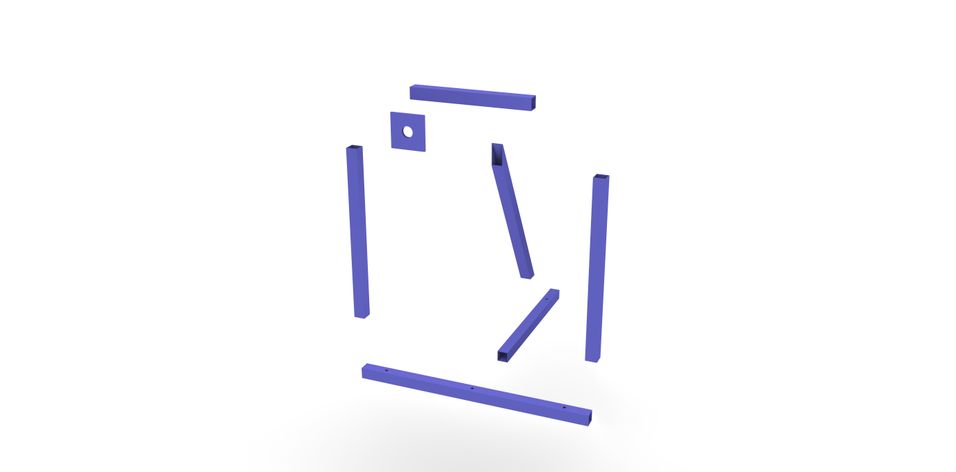
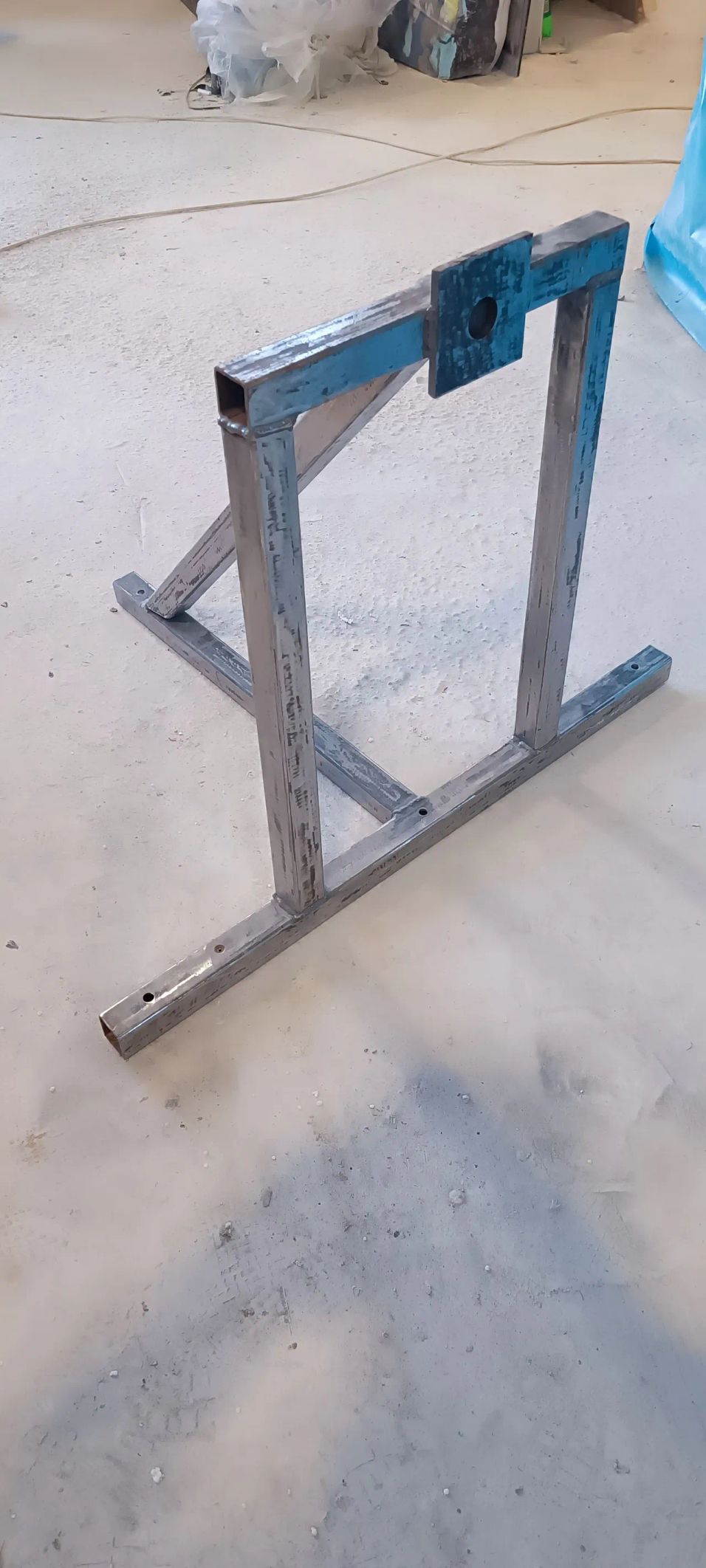
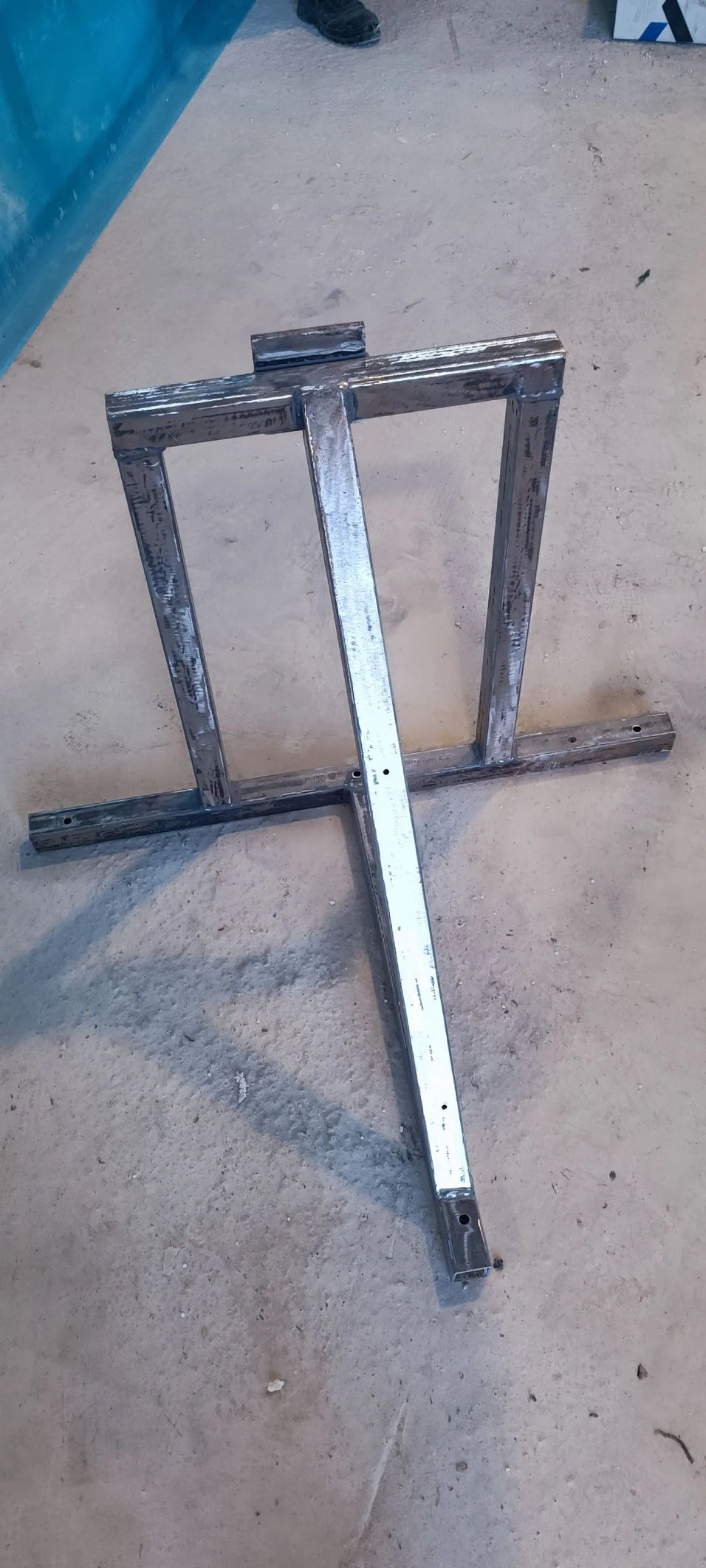
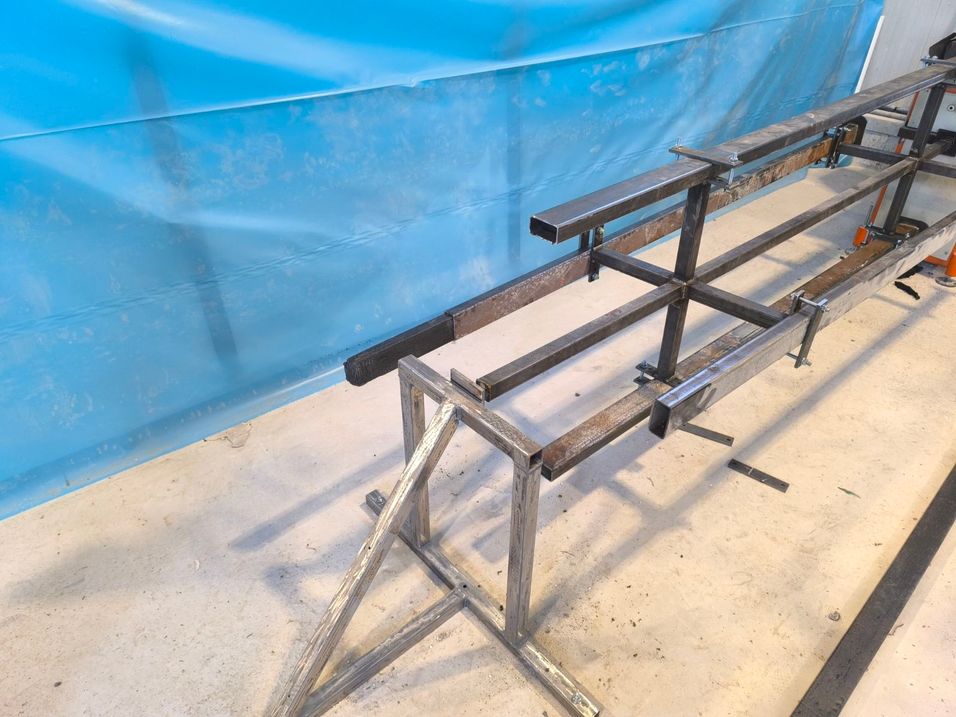
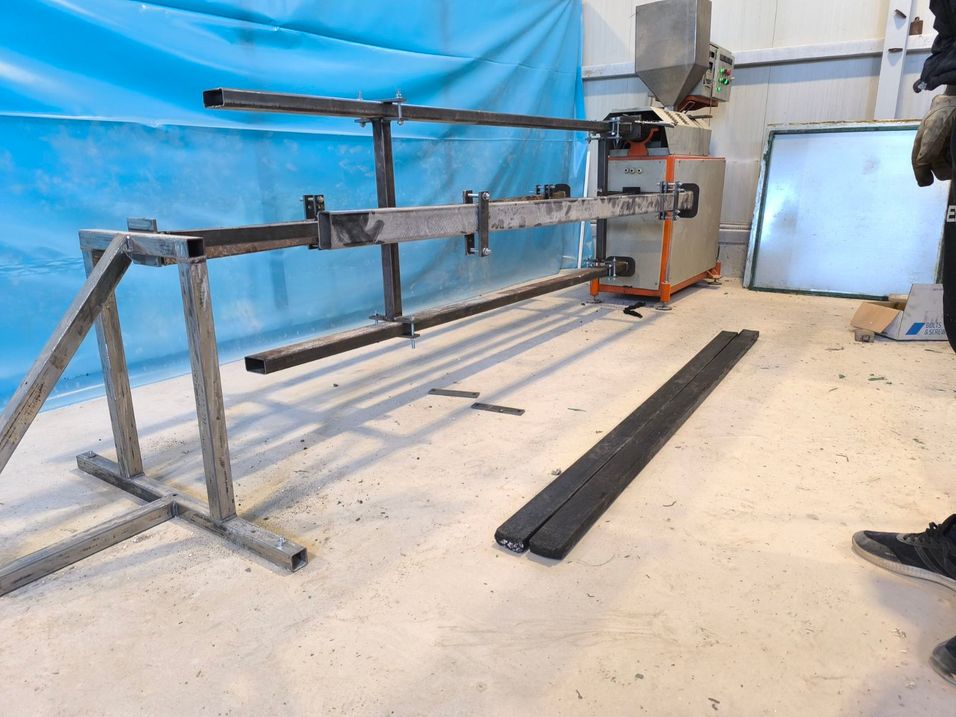
Finally, fabricate the Support Frame, which provides structural support for the rapid mold-change carousel shaft. Assembly and welding are straightforward and should follow the dimensions and sequence shown in the drawings.
Drill the mounting holes in the lower base plate so anchor bolts can later be installed for fixing the frame to the concrete foundation. During welding, ensure the shaft support is positioned precisely on-center, as this directly affects alignment and smooth rotation. The angled bar is used purely as reinforcement and should not be treated as a reference surface for alignment.
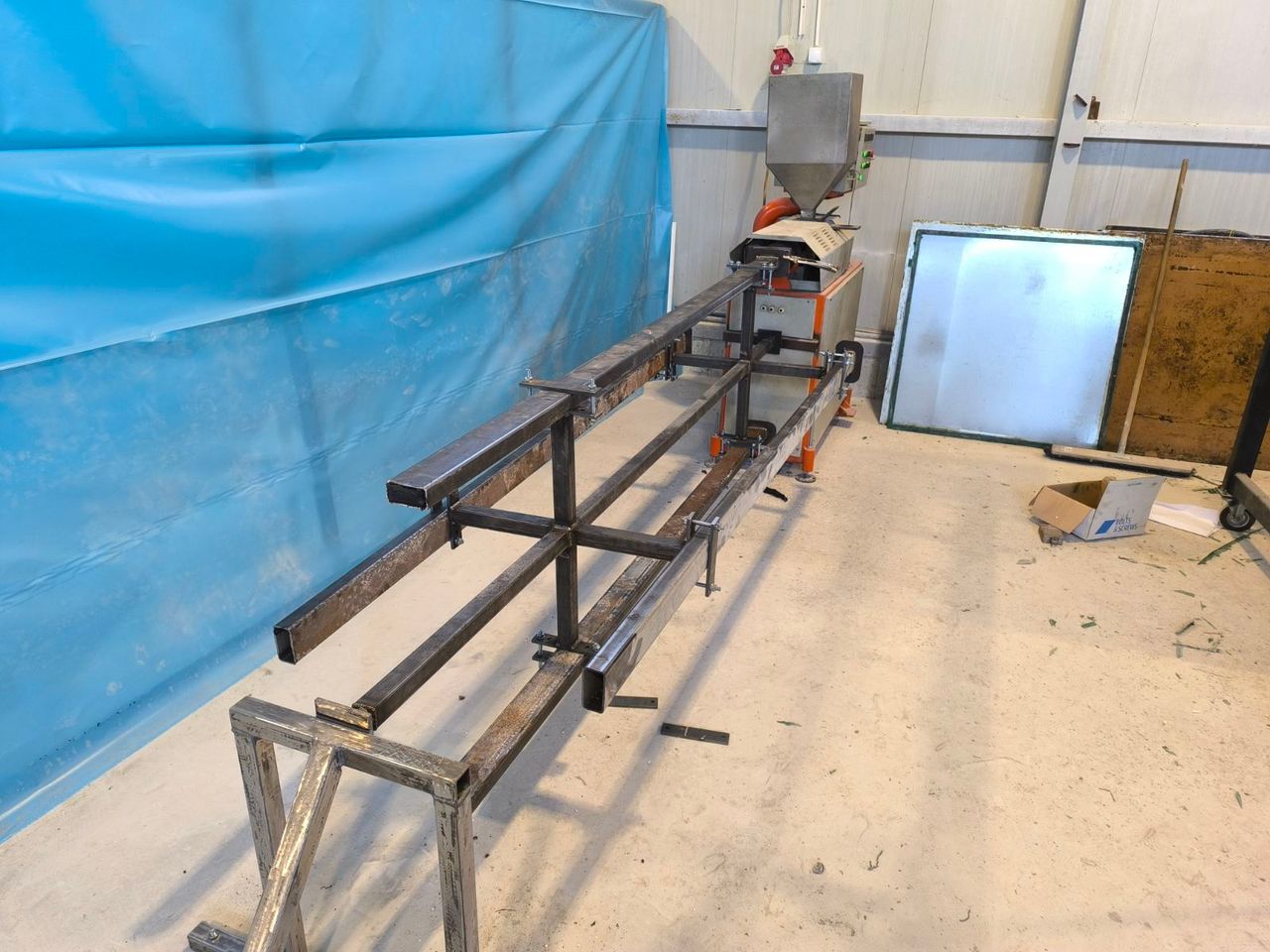
The photo shows the completed component.
8
Assembly — Step 1
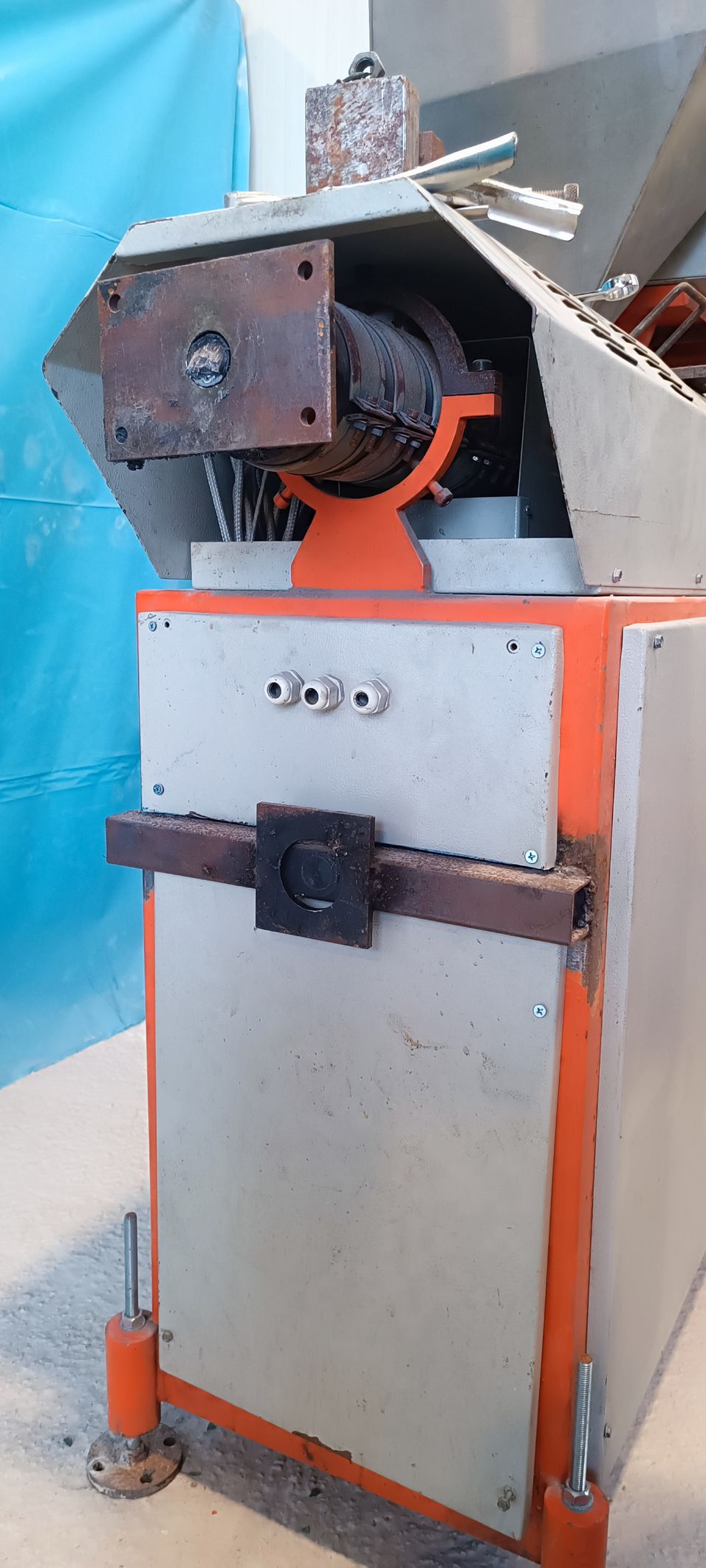
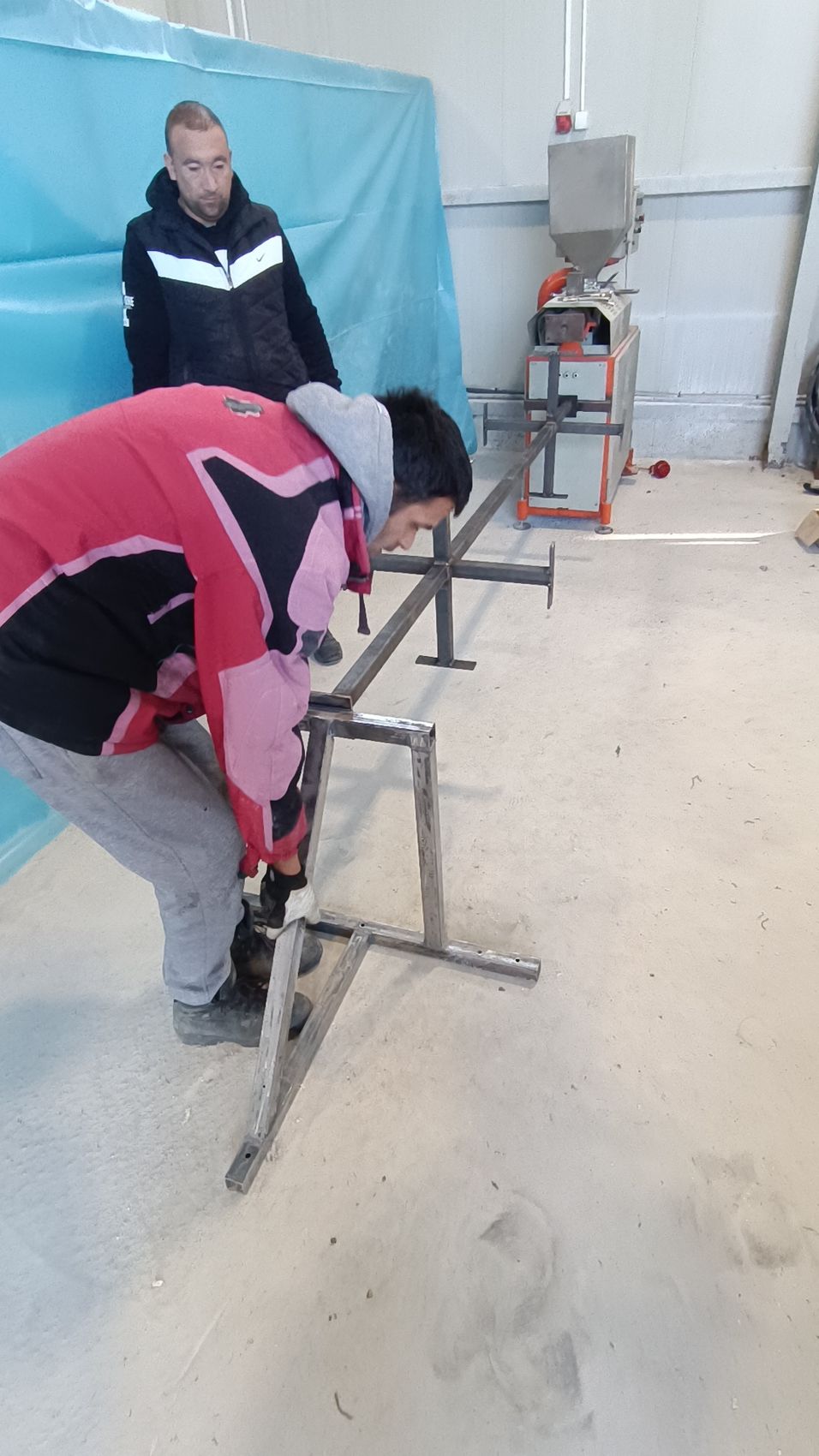
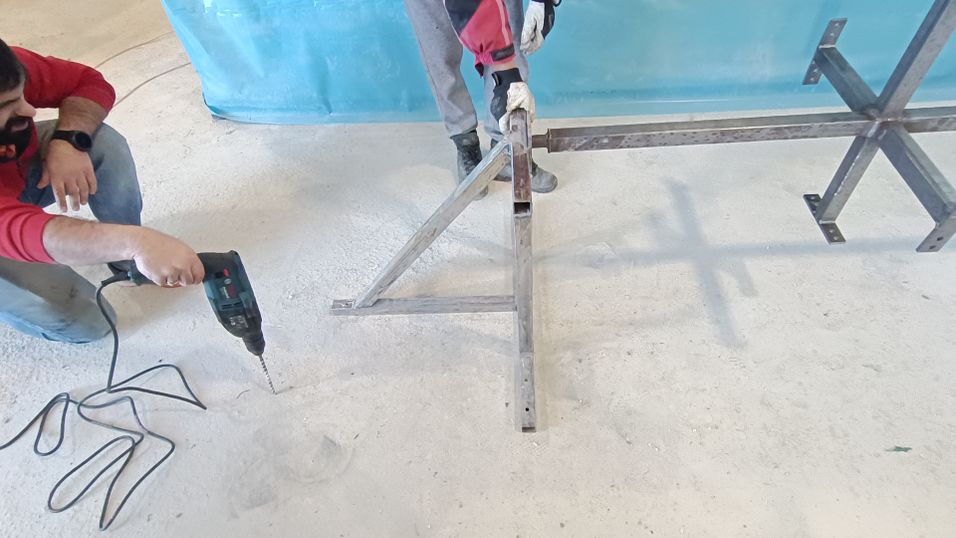
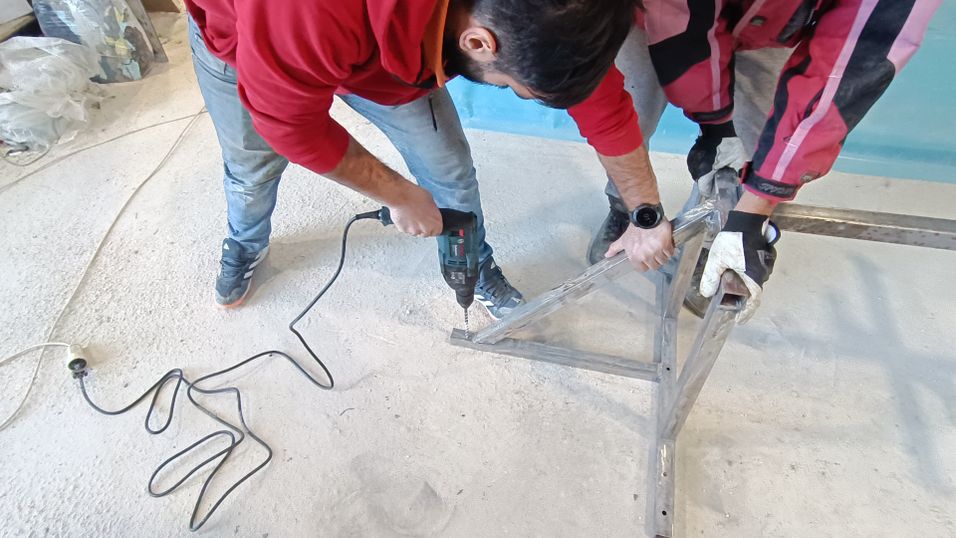
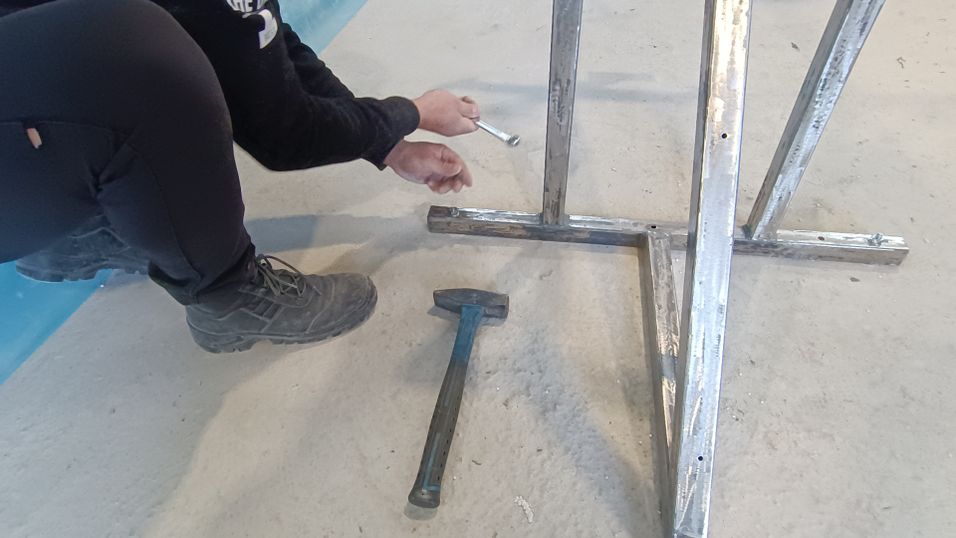
If, like us, you cannot fit the front of the Support Frame tight to the extruder, weld the shaft support directly onto the extruder. Set it at the same height as the shaft support on the Support Frame on the opposite side, and be as precise as possible—this interface is not adjustable later.
The extruder-side support must be aligned with the extruder output (screw axis) and with the support on the concrete-mounted frame. Install the main shaft together with the mounting braces first, then slide it through both supports to confirm coaxial alignment. With everything positioned, drill through the Support Frame holes as a template (~15 cm deep), insert expansion anchors, and tighten immediately so you don’t need to remove parts and reinstall them again. We also plan a wheeled version where the shaft + braces sit on a single mobile frame, so you can remove the carousel when the extruder is not in use.
9
Assembly — Step 2
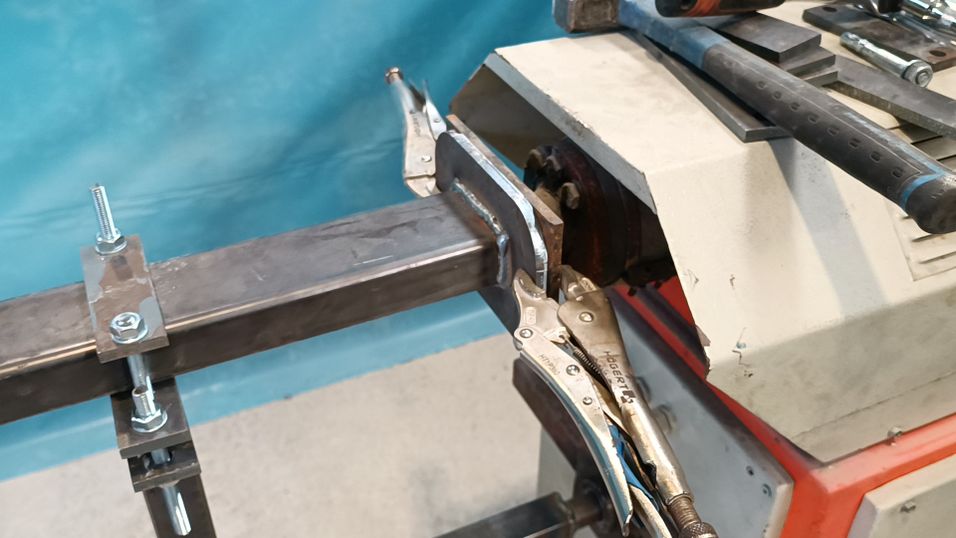
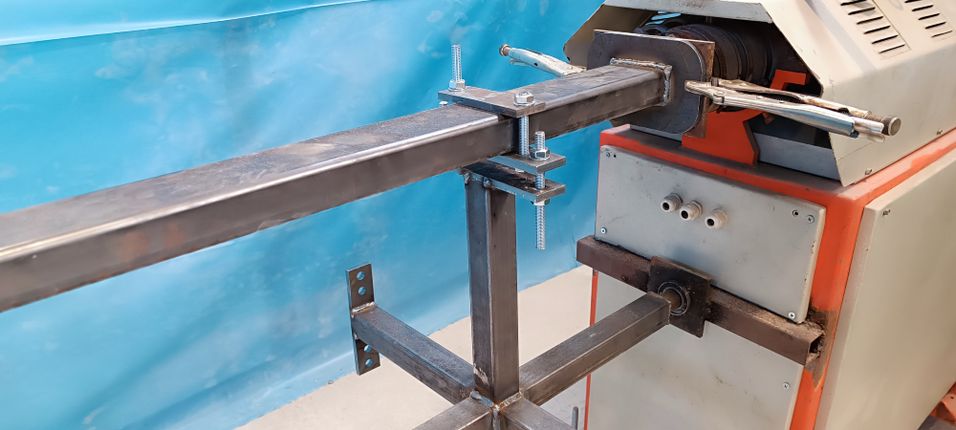
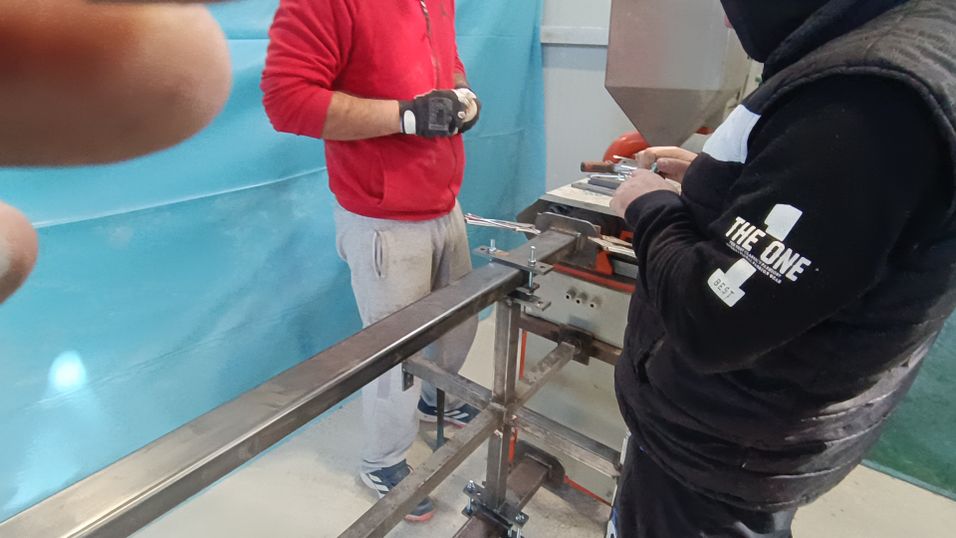
Before installing any molds, heat the extruder to normal operating temperature. In our case the hot end expands by roughly 3–4 mm, which changes the alignment of the outlet. Installing the mold while the machine is cold can lead to misalignment once it heats up.With the extruder hot, place the first mold onto the outlet and secure it using two locking grip pliers. Two pliers are sufficient to hold the mold firmly and keep it in position. We strongly recommend using high-quality grip pliers, because you will use them repeatedly for fast, reliable mold changes during carousel rotation.After the mold is held in place with grip pliers, install the positioning and securing clamps that connect the mold to the carousel. Follow the CAD/update drawings for the exact clamp locations and bolt sizes. For fast custom lengths, we used stainless threaded rod with nuts, cut to the required bolt length.
10
Assembly — Step 3
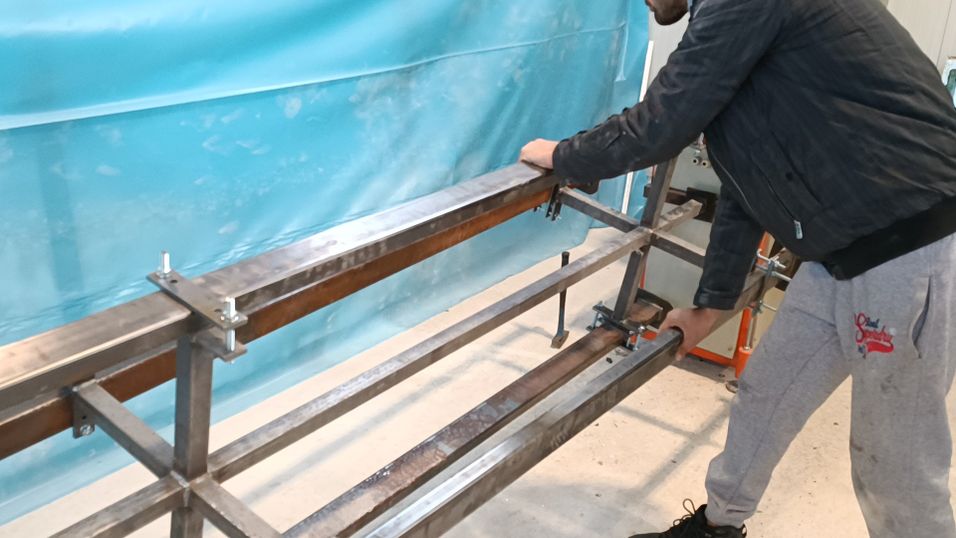
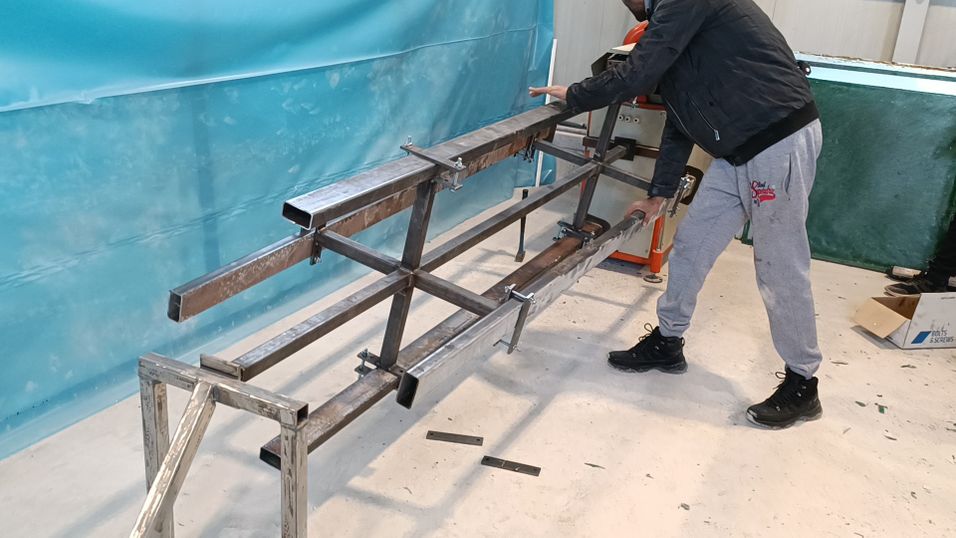
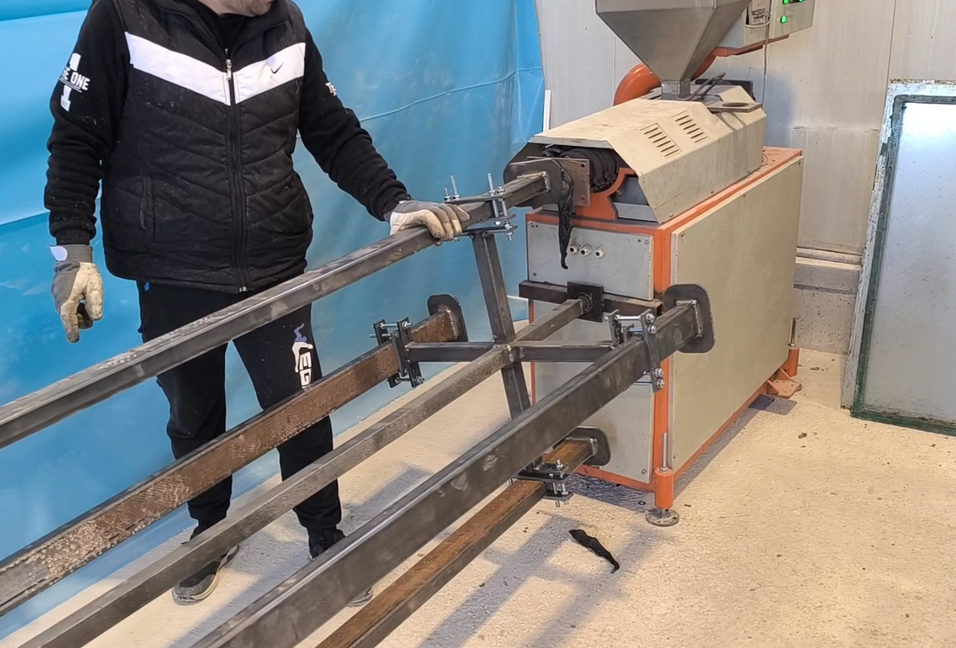
Install the second mold next, but choose the mold on the opposite side of Mold 1 to keep the carousel balanced. Repeat the same mounting method for Mold 3 and Mold 4. After each installation, rotate the carousel through a full 360° to confirm there is no interference and that every mold seats correctly at the extruder outlet.
Once everything rotates smoothly, start the extruder with Mold 1 installed and verify stable extrusion. On our machine, producing a 2.2 m plank (80×40 mm profile) takes about 20 minutes. With four molds, the full rotation cycle is about 60 minutes, which gives each plank enough time to cool before the mold returns to the extrusion position.If you run a faster, higher-output extruder, consider adding a water cooling tank beneath the molds to maintain continuous rotation without overheating
11
Assembly - Final
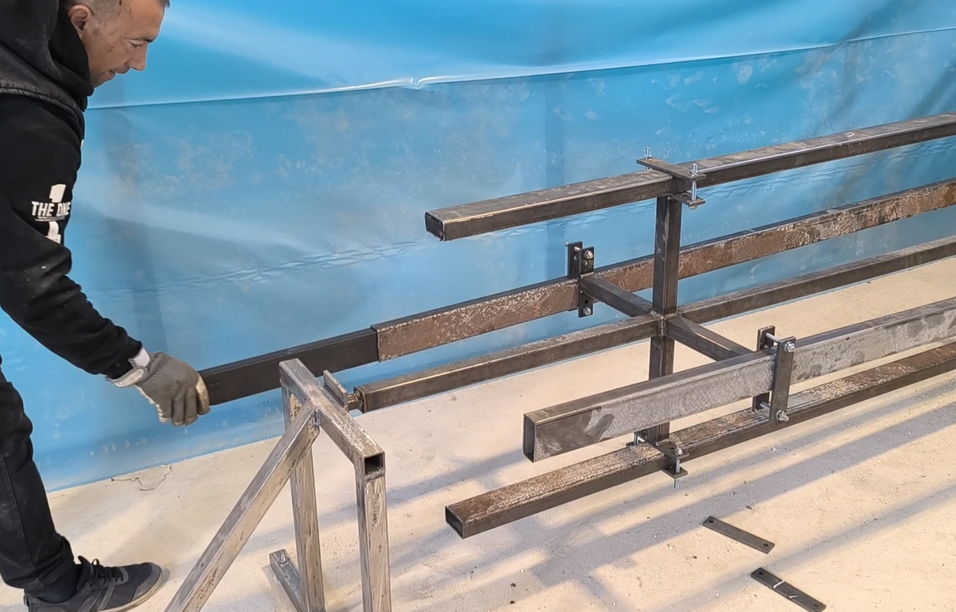
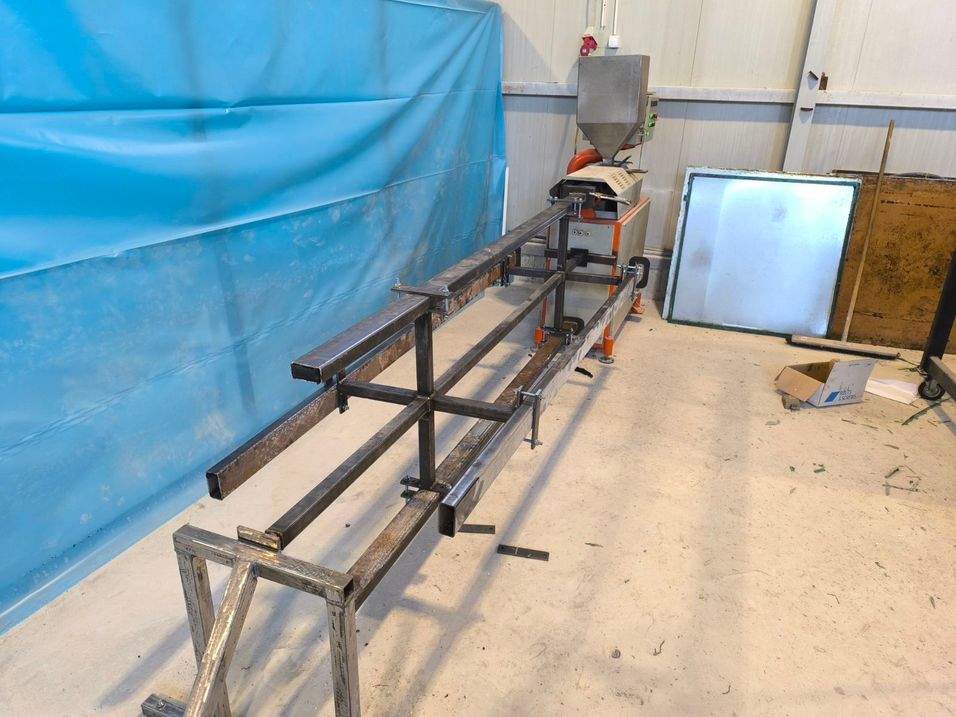
If you run a faster, higher-output extruder, consider adding a water cooling tank beneath the molds to maintain continuous rotation and reliable cooling. We are proud that this extension can improve productivity and work safety while increasing the amount of recycled plastic processed.
Thank you to everyone who followed the build, to Precious Plastic for funding the project, and to our friends on the Discord community who already built their own carousel based on this research. Feel free to comment if you have any questions—we will respond as quickly as possible.
%20--%3e%3csvg%20version='1.1'%20id='Layer_1'%20xmlns='http://www.w3.org/2000/svg'%20xmlns:xlink='http://www.w3.org/1999/xlink'%20x='0px'%20y='0px'%20viewBox='0%200%2064%2063'%20style='enable-background:new%200%200%2064%2063;'%20xml:space='preserve'%3e%3cstyle%20type='text/css'%3e%20.st0{fill:%2320B7EB;}%20.st1{fill:%23E9475A;}%20.st2{fill:%23FECE4E;}%20%3c/style%3e%3cdesc%3eCreated%20with%20Sketch.%3c/desc%3e%3cg%20id='Page-1'%3e%3cg%20id='OA-Logo-Black-Background'%3e%3cpath%20id='Shape'%20class='st0'%20d='M14.1,30.1c-1.5-0.8-8.6-3.8-14.1-7.8c1.8-3.4,3.1-5.6,5-9.1c2.7,1.1,1.9,0.5,4.6,1.7%20c0.8,0.4,10.1,4.5,13.8,6.2c2.4,1.1,4.7,2.2,7,3.3L43,30.5l8.1,3.9c4,2,7.2,3.5,11.3,5.5c0.5,0.3-3.7,9.4-3.7,9.4%20c-1.7-0.6-3.9-1.8-5.5-2.5c-4.7-2.1-9-3.9-13.7-6c-4-1.8-6.7-2.9-10.8-4.5C25,34.9,17.1,31.6,14.1,30.1z'/%3e%3cpath%20id='Shape_1_'%20class='st1'%20d='M12.1,54.9c-0.8,0.6-1.6,1.2-2.5,1.6c-0.4-0.5-0.9-1-1.3-1.5c-0.3-1.2-2.3-4.9-2.7-6.2%20c-0.1-0.4-0.7-2.2-0.8-2.6c0,0,5-3.4,8.2-5.9c3.2-2.6,6.2-5,9.3-7.5c1.4-1.1,3.9-2.5,5.3-3.5c2.5-1.7,13-9.1,15.6-10.5%20c5.4-3.3,11.1-6.3,16.8-9c1.7,3.5,1.8,3,3.8,6.9c0,0-17.8,13.5-22.7,17.1c-3.8,2.8-7.5,5.7-11.3,8.5c-1.7,1.3-3.5,2.4-5.2,3.7'/%3e%3cpath%20id='Shape_2_'%20class='st2'%20d='M20.8,2.9l-0.2-0.8C25,0,31.2-0.3,31.4,0.2c0.4,1.1,0.9,2.2,1.2,3.4c1.4,4.4,2.7,8.7,4,13.1%20c0.4,1.4,2.8,10,2.9,10.5c0.5,2.8,1.2,5.6,1.6,8.4c0.8,4.7,1.4,8.6,2.3,13.3c0.6,3.1,1.3,6.3,2.3,11.3c0,0-5.8,1.4-7.5,1.8%20c-0.8,0.2-1.5,0.4-2.4,0.6c-0.3-1.1-0.2-1.2-0.5-2.1c-0.9-3.7-1.8-7.3-2.6-11c-1.5-6.4-3-12.9-4.4-19.3%20c-1.2-5.4-2.6-10.7-4.4-15.9c-1-3.1-1.8-6.3-2.7-9.5C21.1,3.8,21,3.8,20.8,2.9z'/%3e%3c/g%3e%3c/g%3e%3c/svg%3e)